


Table of Contents
If you’re making a WordPress website with lots of businesses, members, services, products, properties, or other listings, managing everything manually can quickly become tiresome.
A WordPress directory plugin gives you a structured way to create, organize, search, filter, and manage those listings. Plus, the right plugin lets you accept frontend submissions, add custom fields, show locations on maps, collect reviews, and monetize listings. But yet not every directory WordPress plugin offers the same features or fits the same type of website.
Thus, here we’ve personally tested and compared 7 of the best WordPress directory plugins based on their:
- Ease of use
- Features and customization
- Performance
- Pricing
- The types of directories they are best suited for
Without further ado, let’s dive in!
What Is a WordPress Directory Plugin?
A WordPress directory plugin is an addon tool that turns your simple WordPress site into a searchable, filterable database for structured listings.
Normally, WordPress is built for blog posts or standard web pages. A directory plugin gives you a specialized toolkit to organize, show, and search listings of people, places or products. Best of all, you can catalog anything like local restaurants, real estate agents, software tools, or dog groomers.
In other words, these plugins give your visitors a way to search your list by location, category, price, or ratings. On the other hand, it gives you a structured system where you or your visitors can list items, businesses, or people.
Think of it like creating your own mini-Yelp, TripAdvisor or Angie’s List. The plugin gives you a ready-made system where you (or your visitors) can add, organize and search for listings.
People use these plugins to build all kinds of websites like:
- Real estate listing sites (like Zillow)
- Job boards (like Indeed)
- Local business guides
- Classified ads websites (like Craigslist)
At-a-Glance Comparison Of The Best Directory Plugins For WordPress?
| WordPress Directory Plugin | Best For | Free Version | Starting Price |
| GeoDirectory | Large location-based directories | Yes | $139/year |
| Directorist | Multi-purpose & multi-directory websites | Yes | $129/year |
| HivePress | Service directories & marketplaces | Yes | $99/year |
| Business Directory Plugin | Business & local directories | Yes | $149/year |
| Listdom | Visual & map-based directories | Yes | $144/year |
| Simple Link Directory | Resource & link directories | Yes | $38/year |
| Name Directory | Simple A–Z directories | Yes | Free |
How I Evaluated These Directory WordPress Plugins
Directory websites can be very different from each other. So are the features you need for a directory plugin.
A best WordPress directory plugin that works perfectly for a simple local business directory may not be the right pick for a big classified website. The same goes for member directories, real estate listings, job boards or directories where visitors need to submit their own listings.
For this reason, we didn’t simply compare these top listing WordPress plugins based on their feature lists or what they claim to offer on their websites.
We personally tested and compared 7 WordPress directory plugins to see how they actually work and what type of directory website they can help you build.
We looked at things like how easy they are to set up, how much control you get over your listings, what customization options are available, and how well their features fit different types of directory websites.
Thus here’s what we focused on:
- Pricing: What do you get for free, what a paid plan includes and how does the pricing change as your directory needs grow?
- Ease of use: How simple is it to install, set up and start creating listings?
- Features and customization: What can you do with listings, categories, custom fields, search, filters, maps, submissions, reviews, and other directory features?
- Performance: How does the plugin handle your directory setup and its features?
- Directory types: Is the plugin best fit for business directories, member directories, classified listings, real estate, local directories or other use cases?
- Frontend submissions: Can visitors or businesses submit and manage their own listings? Because this is a must-have feature.
- Search and filtering: Can visitors quickly narrow down listings by categories, locations, custom fields, prices, ratings or other criteria?
- Monetization: Make sure to check whether you can charge for users submitting listings, featured listings, claim listings or other directory related services?
Apart from that, we also looked at the overall experience of using each member directory plugin rather than judging it from one feature or other reviews alone.
For example, having advanced search filters is useful. But if setting them up is unnecessarily complicated, that matters too. Similarly, a WordPress directory plugin may offer a free version, but you may also need several paid extensions before you can make the type of directory you actually want.
So, throughout this comparison, we’ll point out what each plugin does well, where it may not be the best fit, what type of directory it makes sense for, and what you should expect before choosing it.
This way you can compare the plugins based on your actual requirements instead of simply picking the one with the longest feature list.
The 7 Best WordPress Directory Plugins Compared
Below are the 7 best directory plugins for WordPress worth considering, ranked by how well they work for most WordPress sites. The list starts with the “Best” WordPress member directory plugin, then some free directory plugins and then more dedicated tools.
GeoDirectory
Rating: 4.8/5 stars
Active installations: 10,000+
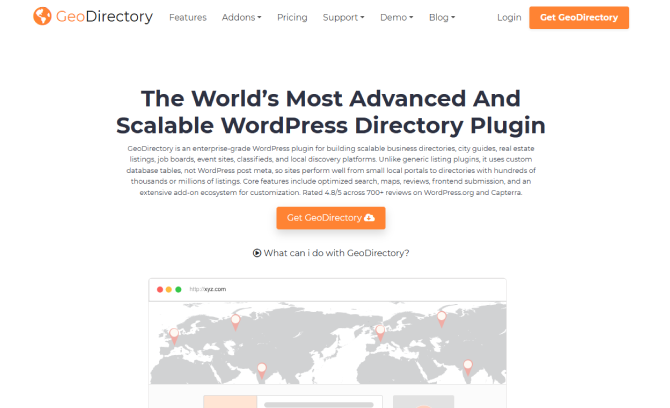
If you are trying to build a directory website on WordPress, you’ve probably realized the options out there are a mixed bag. Some are too basic, while others completely break when you try to scale. After putting GeoDirectory through its paces, I can confidently say it is the most robust, scalable, and customizable directory plugin on the market.
GeoDirectory is an enterprise-grade WordPress directory plugin that uses custom database tables to deliver exceptional performance for growing or large sites. With its free version being available on WordPress plugin directory, you can integrate it with several page builders and map integrations.
We tested it with over 100,000 dummy listings, and the search queries still loaded almost instantly. If you plan to grow to multiple cities or millions of listings, this feature alone makes it the only viable choice.
Besides, many other so-called best WordPress directory plugins limit you to one city or country unless you buy expensive add-ons. GeoDirectory’s location system is flawless. You can build a directory for a single neighborhood or scale it to a multilingual, worldwide directory with complex country/region/city hierarchies.
The catch? It’s not for total beginners. You realize this the second you install it. While it is the best, it isn’t perfect. You should keep two things in mind before diving in: The learning curve and the add-on cost. Because it is so powerful, the backend can feel too-much at first. The core plugin is free, but to unlock its true power (like advanced searches, custom post types, and payment gateways), you will want their Membership Club add-on bundle.
Overall, if you want to make money from your directory, GeoDirectory has the smoothest “Claim a Listing” flow we have tested.
Pros:
- Exceptional flexibility
- Robust mapping and location hierarchy
- Integrates with many core page builders
- Customizable front-end forms for listings
Cons:
- Steep learning curve
- Addon heavy for advanced features
- Technical setup needed
Best For: Building “local Yelp” style city guides, real estate locators or global location-based discovery directories that need high performance.
Pricing: The premium plan starts at $139/year for 1 site.
Directorist

Rating: 4.6/5 Stars
Active installations: 20,000+
Directorist is hands down one of the best WordPress directory plugins available in the WordPress ecosystem today. Having put it through its paces across multiple test setups, it stands out because it actually delivers on the “multi-directory” promise without turning your WordPress database into an absolute mess.
Our performance optimization tests on databases containing over 4,000 listings show that the plugin maintains good query speeds and low memory consumption. Thus you can literally run a real estate portal, a restaurant guide, and a local business index on a single WordPress install. Each directory type gets its own unique custom fields, custom search forms and independent category structures.
Right from the dashboard, you can build tiered subscription structures, charge flat rates for featured or rank pinned listing, or claim fees for business verification.
Setting up a directory usually involves a lot of trial and error. Running through the setup wizard inside the WordPress backend instantly populates your primary map configurations, user dashboards, and listing submission pages. If you couple the plugin with their free starter theme, OneListing on Directorist Blog, the interface looks instantly polished right from activation.
However, budget for the premium extensions if you want a fully transactional marketplace because advanced features can be expensive. Also, they play the trick: The first year plan pricing is less than the renewal.
Pros:
- Generous free core
- Native multi-directory support
- Deep page builder integration
- Connects with PayPal, Stripe, and Authorize.net natively
Cons:
- Relies on premium addons
- Event structure workarounds
- Performance scaling overhead
Best For: Niche directory networks and creators wanting to manage multiple directory categories (like “Real Estate” + “Local Contractors”) from a single site build.
Pricing: The premium plan starts at $129/year.
HivePress

Rating: 4.9/5 stars
Active installations: 10,000+
After putting HivePress through its paces on a couple of test projects, I can confidently tell you that it is easily one of the best, if not the absolute best, WordPress directory plugins available right now.
When you install HivePress, you realize it is not just a plugin; it is a highly integrated ecosystem because the creators of HivePress built their own ecosystem. They offer a core free plugin alongside highly optimized free themes like ListingHive and TaskHive. We paired the core plugin with ListingHive, and the setup was seamless. Within 20 minutes, I had a modern, clean, and mobile-responsive directory that looked like a premium, custom-built startup platform.
Best of all, you don’t need to learn a custom, clunky backend. It uses the native WordPress block editor. Thus building a custom layout for our listing pages felt exactly like writing a standard blog post.
Besides, making money with HivePress is incredibly straightforward. We tested out their extensions, and you can easily charge users to add listings, charge for premium “featured” placements, or even claim a commission on bookings.
The downside? Setting up the relationship between categories, attributes, and search filters takes a moment to wrap your head around. Also, it works best with HivePress-designed themes; fitting it into a random third party theme takes some styling work.
Overall, if you stick to their ecosystem (using their themes and free extensions), you can launch a world-class directory for $0.
Pros:
- Lightweight
- Free custom fields and filters
- Native WordPress feel
- Flexible monetization options
Cons:
- Big structural adjustments outside what the official themes provide needs deep CSS/PHP tweaks
- No native drag and drop form builder
- limited page builder integrations
Best For: Niche multi-vendor marketplaces, service directories, and booking platforms
Pricing: The premium plan starts at $99/Year.
Business Directory Plugin
Rating: 4.6/5 stars
Active installations: 10,000+
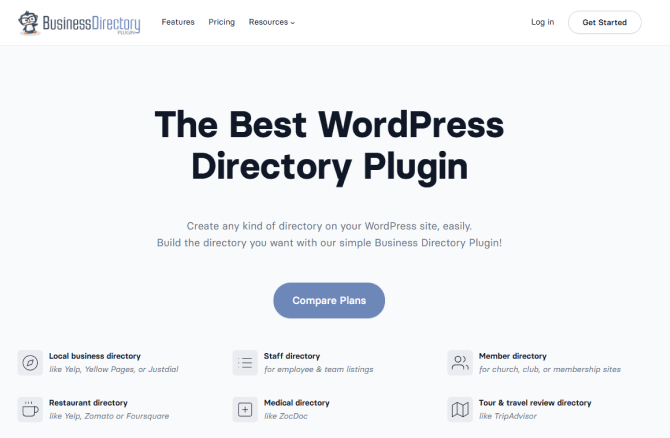
Business Directory Plugin is the most no-fuss best business directory plugin WordPress for setting up a functional directory on WordPress with zero coding.
When I tested it out on a sandbox site, I didn’t have to spend hours wrestling with complicated layout builders or database configurations. After hitting activate, a handy notification popped up offering to create the required pages automatically. I clicked it, and boom – my directory page was live using a simple shortcode ([businessdirectory]).
Best of all, you aren’t just limited to local businesses; we easily tweaked fields for a mock team roster and a local restaurant guide. Also, it comes with solid options for CSV imports/exports and fee plans if you plan on charging users for their listings.
Where it falls short is the design. It feels a bit old-school compared to flashier alternatives like Directorist or GeoDirectory. Also, If you want hyper-specific layouts or ultra-modern AJAX filtering, you will likely hit a wall with the free tier and need paid add-ons.
Pros:
- Easy setup
- Front-end management
- Data portability
- Payment gateways like Stripe, PayPal and Authorize.net
Cons:
- Dated design
- Feature restrictions
- Frequent upgrade reminders
Best For: Simple local business lists, community resource pages or church and staff directories with a zero-to-low starting budget.
Pricing: The premium plan starts at $149/Year.
Listdom

Rating: 4.9/5 stars
Active installations: 1,000+
When we first tested Listdom, the main thing that stood out to me was its balance between deep customization and modern design. It doesn’t just give you a boring list; it gives you the tools to build a highly interactive, functional directory, no matter whether you are listing local restaurants, real estate properties, or classified ads.
What our team of experts liked the most is you don’t need to be a designer to customize it. Listdom comes with over half a dozen layouts (Grid, List, Map, Slider, Carousel) that look sharp and modern without requiring custom CSS. Plus, The drag-and-drop search builder lets us create precise filters (like location, category, or custom features) in just a few minutes.
Best of all, it plays incredibly well with OpenStreetMap and Google Maps. For a free-tier plugin, getting smooth map markers and drawing tools feels like a massive win.
But no best directory plugin is perfect, and Listdom has a few quirks too. Although the user interface is clean, the sheer number of settings can feel a bit overwhelming at first glance. If you are a complete beginner, expect a slight learning curve during the initial setup while you figure out how categories, features, and locations tie together.
Apart from this, although the free version is surprisingly generous, you will need their premium add-ons if you want to monetize your site with complex paid listings or subscription plans.
Pros:
- Extensive layout options
- No-cost mapping alternatives
- AI-assisted admin for tasks like AI CSV field mapping
- 5 built-in taxonomies, localized/multilingual support, and frontend submission tools
Cons:
- Learning curve
- Documentation gap
- Feature fragmented addons
Best For: Building neighborhood travel guides, developers, restaurant finders, real estate hubs, and job portals with visual map integrations.
Pricing: The premium plan starts at $144/year.
Simple Link Directory
Rating: 4.8/5 stars
Active installations: 2,000+
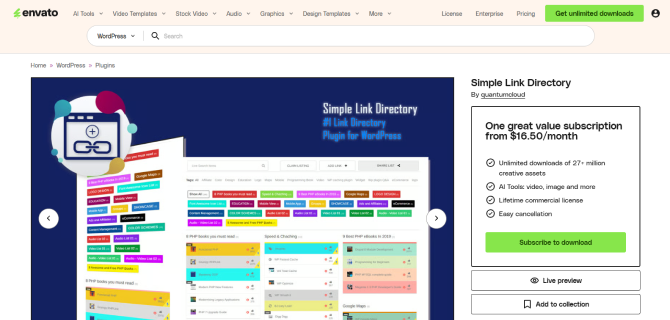
Simple Link Directory is the best WordPress directory and content curation plugin if you want to build modern resource pages or link collections.
When we first installed the free Lite version from WordPress.org Plugins, we expected the usual complicated setup wizard. Instead, we had my first categorized link collection up on a page in under five minutes. Out of the box, the responsive templates look crisp and modern – a massive upgrade from those old-school bookmark lists.
Apart from that, if you are migrating dozens or hundreds of resource links, the master CSV import feature is an absolute lifesaver. Also, built-in outbound click tracking (great for affiliate links or Google Analytics) plus user upvoting/likes add nice interactive touches
Everything was good except that many advanced options like monetization, URL masking and video lightboxes needed the paid pro version.
Pros:
- AI integrations to auto generate titles, descriptions and thumbnails
- Easy management
- Multiple templates, display modes, upvoting features and styling choices
- Works smoothly with multiple page builders
Cons:
- Features gated
- Niche focus
- Small ecosystem
Best For: Prolific bloggers, marketers and SEO specialists.
Pricing: The premium plan starts at $38/year.
Name Directory
Rating: 4.9/5 stars
Active installations: 2,000+
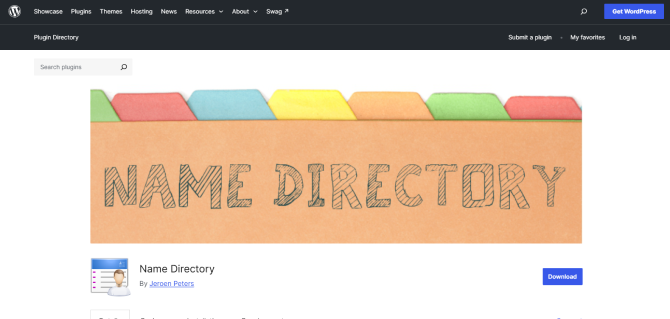
Name Directory By Jeroen Peters is one of the best directory plugins for WordPress here. It gives an incredibly lightweight and customizable way to sort terms alphabetically using a clean, accessible layout.
Getting started is refreshing. There is zero initial configuration headache. Once you activate it, you head straight to the plugin dashboard to create your first directory.
What we love right off the bat is that it supports multiple separate directories on a single WordPress site. You can build a directory for “Bird Breeds” on one page and an index for “Movie Titles” on another without them bleeding into each other. Embedding them is handled via a simple copy-and-paste shortcode that works smoothly in the Gutenberg block editor or standard page builders.
While testing, it’s worth noting that the plugin has faced standard cross-site scripting (XSS) patches in the past (like many older, well-established plugins). The developer is active, so make sure you always update to the latest version immediately upon installation to make sure your site stays secure.
Pros:
- Highly customizable
- Multi-directory support
- Lightweight performance
- Smooth search and navigation
Cons:
- Basic out-of-the-box styling
- Limited advanced fields
Best For: A-to-Z resource listing of brand names, book titles, acronyms or staff directories.
Pricing: 100% Free (Although you can still buy developer a coffee if you want)
You May Also Like:
- 5 Best Auto-Blogging Plugins for WordPress in 2026
- 5 Best WordPress Giveaway Plugins (Tested & Compared)
- 10 Best WordPress Membership Plugins for 2026 (Plus Bonus)
Final Words
To sum it up, these are some of the best WordPress directory plugins you can use to build and manage a directory website.
Choosing the one “Best” directory plugin is not easy as no one plugin is perfect. Although still you should try to find the one that fits you the most right. We’ve tested and explored all the popular debated options, and for us, the right fit turned out to be GeoDirectory. All you have to do is ignore or get used to its learning curve, then it can be the most powerful directory plugin for your business.
So what are you waiting for? Pick your right-fit plugin today !