


Table of Contents
When I first started exploring membership websites, I thought choosing a WordPress membership plugin was mostly about finding one that could restrict content and accept payments. MemberPress seemed like an obvious choice. But once you start looking at membership levels, recurring subscriptions, member management, and payment integrations, you realize there’s quite a bit more to consider. And MemberPress isn’t the only plugin that can handle all of this.
If you’re looking for a membership site plugin for WordPress, I’ve done some of the groundwork for you.
I researched and compared several plugins, looked at what each one brings to the table, and whittled the list down to these seven MemberPress alternatives.
Why People Look For MemberPress Alternatives
MemberPress is a pretty capable WordPress membership plugin. It gives you the tools to create membership levels, restrict content, sell online courses and manage recurring subscriptions.
But as I started comparing it with other membership site plugins for WordPress, I found a few things that could make website owners look elsewhere.
For starters, MemberPress pricing might not make sense for everyone. If you’re just starting a membership website, paying for features you might not use can feel like a lot. You might also want more flexibility with payment gateways, different ways to manage members or integrations with other WordPress plugins you’re already using.
And then there’s the matter of choosing a plugin that actually fits your membership model. A website selling online courses has different needs from one offering paid communities, exclusive content or recurring subscription plans. Thus, although the MemberPress plugin covers plenty of ground, it doesn’t automatically make it the best membership plugin for WordPress.
Further, here are some of the more common reasons why people want to consider a MemberPress alternative:
- Pricing. You might find another WordPress membership plugin that offers the features you need at a lower starting price or with a pricing structure that better suits your budget. Afterall, MemberPress is straight off too expensive. Just look at its pricing. Its launching plan starts at $199.50 + 4.9% transaction fee per successful payment for the first year only. From next year, its basic starting plan starts from $399/year 4.9% transaction fee.
- Payment options. Not every membership website uses the same payment methods. If you need extra payment gateways, local payment options, or more flexibility when managing recurring payments, look elsewhere.
- Membership features. Some plugins focus more on content restriction, while others offer additional tools for member directories, user profiles, communities, and subscription management.
- Integrations. If you’re already using plugins for email marketing, forms, affiliate management, or eCommerce, you’ll want a membership plugin that works well with your existing setup.
- Ease of use. Managing memberships can get complicated pretty quickly. A simpler setup, clearer settings, and an easier member management process can save you quite a bit of time.
Of course, this doesn’t mean MemberPress is a bad choice (well, for me, it is though). It simply means there are other WordPress subscription plugins worth considering before you settle on one. And depending on what you’re building, one of these alternatives might be a better fit.
Quick Comparison: 7 Best MemberPress Alternatives For WordPress
Short on time? No worries! Below I’ve listed down the best WordPress subscription plugins for your membership site which are far better than MemberPress.
| # | Plugin | Best for | Starting price | Test Score |
| 1 | ARMember | All-in-one membership management and payment options | $89/year | 91/100 |
| 2 | WooCommerce Memberships | Memberships connected to an online store | $199/year | 84/100 |
| 3 | Restrict Content Pro | Straightforward content restriction and paid memberships | $99/year | 80/100 |
| 4 | ProfilePress | Memberships, paid subscriptions, and user registration | $129/year | 77/100 |
| 5 | WP User Manager | User profiles, registration, and member directories | $149/year | 70/100 |
| 6 | Ultimate Member | Community websites and user profiles | $276/year | 68/100 |
| 7 | WishList Member | Content protection and online course memberships | $149.50/year | 65/100 |
Prices are displayed starting annual prices in USD. Some are introductory prices and may increase at renewal.
How I Tested And Scored These WordPress Membership Site Plugins
There are plenty of lists of the “best WordPress membership plugins”, so what makes this one different? Here, I didn’t just compare their feature lists or pick the plugins with the most impressive marketing pages. I looked at how each plugin handles the actual work involved in running a membership website.
Apart from that, I focused on a common membership website setup, including creating membership plans, restricting content, registering members, and managing payments and subscriptions. Plus, I looked at how much you could do with the free and paid versions, what features were locked behind higher plans, and how easily each plugin could fit into an existing WordPress website.
Here, I’ve focused on both free and premium MemberPress alternatives. Some plugins offer quite a bit in their free versions, while others reserve more advanced membership features for their paid plans. I wanted to see what you actually get before having to upgrade.
Test environments used:
For a fair comparison, I’d use the same baseline environment for all seven plugins, changing only the configuration required by each plugin.
| Test environment | Configuration |
| WordPress | 7.1.3 |
| PHP | 8.3 |
| Database | MySQL 8.0 |
| Theme | Twenty Twenty-Five |
| Hosting | Fresh WordPress staging installation |
| Membership setup | 3 membership levels: Free, Monthly, and Annual |
| Test accounts | 1 administrator and 3 member accounts |
| Payment testing | Stripe test mode and available sandbox gateways |
| Content restriction | Posts, pages, categories, and restricted downloads |
Each plugin is scored out of 100 across 7 weighted categories.
| Category | What it measures | Max points |
| Setup and usability | Installation, setup wizard, membership plan creation, and overall learning curve | 15 |
| Content restriction | Restricting posts, pages, categories, custom post types, and drip content | 20 |
| Membership management | Member registration, profiles, directories, renewals, and account management | 15 |
| Payments and subscriptions | Payment gateways, recurring payments, one-time payments, and subscription management | 15 |
| Integrations and extensions | WooCommerce, email marketing, LMS, affiliate, and other plugin integrations | 10 |
| Pricing and value | Starting price, renewal costs, transaction fees, and features included in each plan | 15 |
| Reputation and support | Public ratings, review volume, documentation, and customer support | 10 |
| Total | 100 |
Score Breakdown
Here’s how the seven plugins stack up across the categories. I gave more weight to content restriction because that’s one of the main reasons you’d install a membership plugin in the first place. Membership management and payment options also carry considerable weight, since managing subscriptions and member access is where things can get complicated.
| Plugin | Setup (15) | Restriction (20) | Management (15) | Payments (15) | Integrations (10) | Pricing (15) | Reputation (10) | Total |
| ARMember | 14 | 19 | 14 | 14 | 9 | 13 | 8 | 91 |
| WooCommerce Memberships | 12 | 18 | 13 | 12 | 10 | 10 | 9 | 84 |
| Restrict Content Pro | 13 | 17 | 12 | 11 | 8 | 11 | 8 | 80 |
| ProfilePress | 13 | 16 | 13 | 12 | 8 | 8 | 7 | 77 |
| WP User Manager | 13 | 13 | 13 | 8 | 8 | 8 | 7 | 70 |
| Ultimate Member | 13 | 12 | 14 | 6 | 9 | 7 | 7 | 68 |
| WishList Member | 11 | 17 | 12 | 10 | 7 | 4 | 5 | 66 |
A few things stand out here. ARMember scores highest because it combines content restriction, membership management, and a broad selection of payment gateways without requiring you to assemble a large collection of separate extensions. WooCommerce Memberships follows closely, particularly if you’re already running an online store.
WishList Member, on the other hand, has plenty of membership and content protection features, but its renewal pricing makes it less attractive from a value perspective. Ultimate Member and WP User Manager are also worth looking at, although their strengths lean more toward user registration, profiles, and community management than a complete subscription business.
Now, time to explore the seven best MemberPress alternative plugins for WordPress in-detail.
The 7 Best MemberPress Alternative Plugins For WordPress
1. ARMember

- Score: 91/100.
- Best for: All-in-one memberships with broad payment gateway support.
- Free version: Yes.
- Starting price: $89/year (Standard, 1 site).
ARMember is one of the more feature-rich WordPress membership plugins I came across while comparing alternatives to MemberPress. It gives you the usual membership tools such as unlimited membership plans, recurring subscriptions, and content restriction but… it doesn’t stop there!
You can also drip content, sell individual posts, create custom registration and login forms and manage member profiles and directories from the same dashboard.
What caught my attention was its payment gateway support. The free version includes two payment options, while the paid plans expand that to 22+ gateways, including Stripe, PayPal, Razorpay, Square, and Authorize.net. Its Standard plan starts at $89/year for one website, and the pricing page lists the same renewal price. Best of all, I also found that ARMember offers a fairly generous collection of built-in add-ons, although some features, such as online courses, social communities, and group memberships, are reserved for higher plans.
Strengths:
- 22+ payment gateways
- Unlimited membership plans
- Built-in content dripping
- 62+ in-built addons
- Custom registration forms
- Member profiles and directories
Limitations:
- Advanced features need higher plans
- Lots of settings to explore
Why is ARMember the best alternative to MemberPress? It offers a broader set of 62+ built-in membership tools, 22+ payment options and 56+ premium addons at a considerably lower starting price.
2. WooCommerce Memberships

- Score: 84/100
- Best for: Memberships built around an existing WooCommerce store.
- Free version: No.
- Starting price: $199/year.
WooCommerce Memberships takes a slightly different approach from MemberPress. Rather than treating memberships as a completely separate part of your website, it connects them directly to your WooCommerce store. This means you can sell membership access as a product, include membership access with a product purchase or even manually assign memberships to specific customers.
Besides, you can also restrict regular content and WooCommerce products, schedule content access and offer members-only discounts or free shipping.
I found this particularly useful for websites that already sell products via WooCommerce and want to add a membership experience.
However, there’s one thing to keep in mind – WooCommerce Memberships doesn’t handle recurring membership billing on its own. Thus, for monthly or yearly automatic renewals, free trials and subscription switching, you’ll need WooCommerce Subscriptions. And that which costs another $279/year. That brings the combined plugin cost to $478/year before payment processing fees (Well, this gets even more expensive than MemberPress but if you want a Woo-native official tool – duh that’s the price).
Strengths:
- Deep WooCommerce integration
- Product-based memberships
- Content and product dripping
- Member-only discounts
- Flexible access rules
Limitations:
- Requires WooCommerce
- Recurring billing costs extra
- No built-in course builder
Why WooCommerce Memberships is the best alternative to MemberPress? It’s a natural fit for store owners who want to sell memberships alongside their existing WooCommerce products.
3. Restrict Content Pro (now Kadence Memberships)
- Score: 80/100
- Best for: Straightforward memberships and flexible content restriction
- Free version: Yes
- Starting price: Free; paid features included in Kadence Pro from $299/year
Restrict Content Pro has been around for quite some time and its main appeal has always been keeping membership management simple.
You can create membership levels, sell subscriptions, restrict posts and pages and give members access to content based on their membership status. Plus, it comes with features such as discount codes, member dashboards, payment history and content dripping via its premium add-ons.
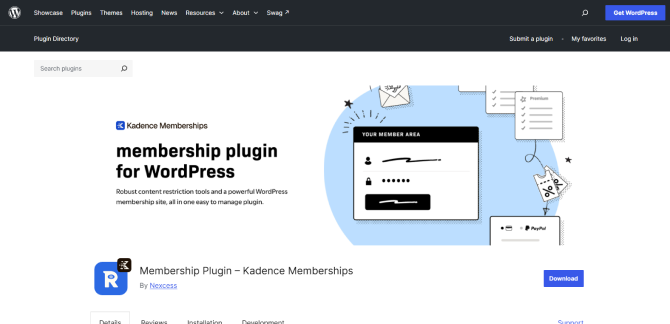
There’s an important change worth mentioning here, though. The free plugin is now listed on WordPress.org as Kadence Memberships, and its paid features and add-ons are associated with Restrict Content Pro.
The free version already supports unlimited membership levels, Stripe payments, member management, and content restriction. For more payment gateways, integrations, drip content and other premium add-ons, you’ll need a paid option. The current Kadence Pro bundle starts at $299/year and includes Kadence Memberships along with other Kadence tools. Thus, this isn’t a standalone Restrict Content Pro price.
Strengths:
- Unlimited membership levels
- Stripe payments in free version
- Member self-service dashboard
- Prorated membership upgrades
- Developer-friendly customization
Limitations:
- Product branding has changed
- Pro access is bundled
- Advanced gateways need Pro
Why Restrict Content Pro is the best alternative to MemberPress? It suits website owners who want focused membership and content restriction tools without needing a larger all-in-one platform.
4. ProfilePress
- Score: 77/100
- Best for: Paid memberships, online courses and user management.
- Free version: Yes.
- Starting price: $129/year (Standard, 1 site).
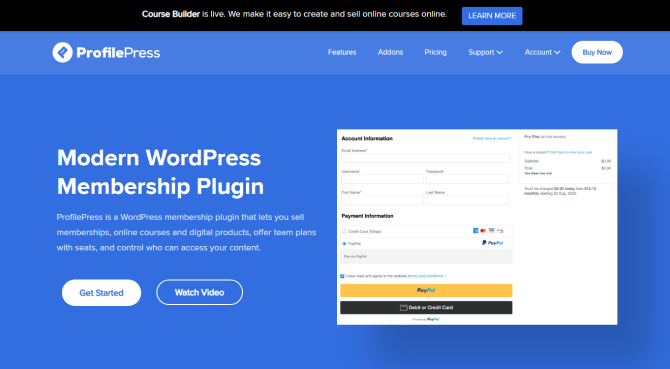
ProfilePress is more than just a simple WordPress subscription plugin for restricting content. It combines paid memberships, subscription management, digital product sales, online courses and user registration tools under one roof.
Thus, you can create one-time or recurring membership plans, offer free trials, set up checkout forms, and restrict posts, pages, categories and other content based on a member’s subscription. Also, It supports payment gateways such as Stripe, PayPal, Razorpay, Paddle, Paystack, Mollie, etc.
What I liked while comparing ProfilePress with MemberPress is how much it offers beyond basic membership management by even including a course builder in its free version. So, you can create lessons, quizzes and certificates without installing a separate LMS plugin.
The free version does have one catch: it adds an extra 2% Stripe fee. The Standard plan starts at $129/year and removes that extra fee, while features such as content dripping, subscription pausing, and metered paywalls are available in the Plus plan, which costs $299/year.
Strengths:
- Multiple payment gateways
- Recurring membership plans
- Built-in course builder
- Custom registration forms
- Digital product sales
Limitations:
- Content dripping needs Plus
- Extra fee on free version
Why is ProfilePress the best alternative to MemberPress? It brings membership sales, online courses, and user management together without requiring a collection of separate plugins.
5. WP User Manager

- Score: 70/100
- Best for: User profiles, member directories and paid registration.
- Free version: Yes.
- Starting price: $149/year (Starter, 1 website).
WP User Manager is a little different from some of the other MemberPress alternatives on this list. Its main focus is user registration, login forms, member profiles, and directories rather than building a complete membership business. You can replace the default WordPress login and registration pages with frontend forms, let members manage their own profiles and create searchable directories where visitors can find other members.
I found its free version worth considering because it already covers quite a few essentials, including frontend registration, user profiles, member directories, and content restriction. On top of that, it lets you manage paid registration through Stripe, including one-time and recurring payments.
But… you’ll need to look at its premium add-ons as your requirements grow. For instance, the Starter plan costs $149/year for one website. The Pro plan costs $299/year for up to 10 websites and offers extra features such as Stripe Pro, social login, private content and WooCommerce integration.
Strengths:
- Frontend registration forms
- Custom user profiles
- Searchable member directories
- Role-based content restriction
- Paid registration support
Limitations:
- Membership features need add-ons
- Advanced Stripe features cost extra
Why is WP User Manager the best alternative to MemberPress? It’s a good choice for websites where member registration, profiles, and directories matter more than complex membership plans.
6. Ultimate Member
- Score: 68/100
- Best for: Community websites with member profiles and directories.
- Free version: Yes.
- Starting price: $276/year (Standard, 1 site).
Ultimate Member is another plugin that leans more towards building online communities. It gives you tools to create frontend registration and login forms, customizable user profiles, member directories and user account pages.
Moreover, you can easily restrict content based on whether someone is logged in or belongs to a particular user role. Thus if you’re building a community where members need their own profiles and a way to find and interact with other users, Ultimate Member is worth a look.
But don’t forget, there’s a difference between creating a community and charging people for membership access. The free plugin covers the basic user management features but you’ll need its Stripe extension to sell paid memberships with one time or recurring subscriptions. You can purchase that extension separately for $65/year for one website, or get it through the Pro plan, which costs $348/year for two websites. The Standard plan starts at $276/year and includes 21 extensions, but doesn’t list the Stripe integration as part of the package.
Strengths:
- Custom user profiles
- Frontend registration
- Member directories
- Flexible user roles
- Extensive extensions
Limitations:
- Paid memberships need Stripe
- Community-focused feature set
Why is Ultimate Member the best alternative to MemberPress? It works well for membership communities that depend heavily on user profiles, directories and member interaction.
7. WishList Member

- Score: 66/100
- Best for: Content protection, online courses, and paid memberships
- Free version: No
- Starting price: $149.50/year (Basic, introductory price; renews at $299/year)
WishList Member is one of the more established names in the WordPress membership plugin space. It gives you the tools to create unlimited membership levels, protect content, schedule content releases, and manage members from your WordPress dashboard. You can also create upgrade paths between membership levels, customize registration forms, and give members their own dashboard to manage their accounts. And if you’re planning to sell courses, it includes CourseCure, its own course-building tool, with the Basic plan.
What stood out to me was how much is included in the Basic plan. You get unlimited members and memberships, content protection rules, drip content, course creation, and integrations with Stripe, PayPal, and eWay. It also doesn’t charge additional transaction fees or monthly fees of its own. However, pay attention to its introductory pricing. The Basic plan is currently listed at $149.50/year, but the regular renewal price is $299/year. The Plus and Pro plans also have introductory prices of $249.50 and $349.50 per year, respectively, before renewing at their regular rates of $499 and $699.
Strengths:
- Unlimited membership levels
- Flexible content protection
- Built-in content dripping
- CourseCure course builder
- No plugin transaction fees
Limitations:
- No free version
- High renewal pricing
- Some integrations need higher plans
Why is WishList Member the best alternative to MemberPress? It offers a complete set of content protection and course-selling tools for website owners building a subscription-based content business.
Buyer’s Guide: Choosing The Right Membership Site Plugin For WordPress
By now, you’ve probably noticed that these seven plugins don’t all approach membership management in the same way. Some are right-fit for selling subscriptions and protecting premium content. Others put more emphasis on user profiles, member directories and community features.
Thus, before settling on one, I’d take a step back and think about what you’re actually trying to build.
Here are a few things I’d consider before choosing a WordPress membership plugin.
Start With The Kind Of Membership Website You Want To Build
This might sound obvious but it’s worth figuring out before you start comparing feature lists. Are you planning to sell access to premium blog posts, create an online course website, run a private community, or offer recurring subscriptions?
For instance, if you’re creating a paid content website, you’ll want flexible content restriction, drip scheduling, and recurring payment options. ARMember and WishList Member are worth considering here. But if you’re planning to sell memberships alongside physical or digital products, WooCommerce Memberships makes more sense because it connects membership access directly to your store.
And if your website is more about bringing people together with public member directories, user profiles, and frontend registration, I’d look at Ultimate Member or WP User Manager instead. They lean more towards user management and community building than traditional subscription businesses.
Look Beyond The Starting Price
I always pay attention to the renewal price when comparing WordPress plugins. An introductory offer might look like a bargain, but it doesn’t tell you what you’ll be paying next year.
WishList Member is a good example. Its Basic plan starts at $149.50/year during the introductory offer, but renews at $299/year. MemberPress has a similar first year discount, and its Launch plan also charges a 4.9% transaction fee on successful payments. That fee matters when you’re expecting to process a decent number of memberships.
Also, don’t forget to account for the cost of additional plugins. WooCommerce Memberships costs $199/year, but if you need automatic recurring membership payments, you’ll also need WooCommerce Subscriptions. That’s another $279/year, bringing the combined annual cost to $478.
So, rather than comparing only the starting prices, I’d work out the total cost of running your membership website for at least two years. Include renewal prices, required extensions, transaction fees, and payment gateway charges. It gives you a much better idea of what you’re signing up for.
Check Which Payment Gateways Are Available
Payment gateways can become a bigger deal than you might initially expect. Your preferred membership plugin might support PayPal and Stripe, but what happens when you want to accept payments through another provider?
This is very important if you’re selling memberships to customers in different countries or need to support local payment methods. ARMember, for instance, works with 22+ payment gateways on its Pro plans. Also, ProfilePress even supports several payment providers such as Stripe, PayPal, Razorpay, Paddle and Paystack.
Apart from that, I’d check how the plugin handles recurring payments, failed transactions, subscription cancellations and membership renewals. Accepting a payment is one thing; managing what happens after that payment is another.
Make Sure It Works With Your Existing WordPress Setup
A membership plugin rarely works in isolation. You might already be using a page builder, an email marketing service, an affiliate plugin, an LMS, or an eCommerce plugin. And you’ll probably want your membership plugin to work with at least some of them.
For instance, WooCommerce Memberships is an obvious choice if your store already runs on WooCommerce. ProfilePress is worth considering if you want membership management and course-selling features in the same plugin. And if you’re planning to run an affiliate program, check whether your chosen plugin integrates with your affiliate management tool before purchasing it.
I wouldn’t rely on a general claim that a plugin supports integrations, either. Check the exact integration you need, whether it’s included in your plan, and whether it requires an additional extension. A plugin can look feature-rich on paper and still leave you with extra purchases to make.
Don’t Overlook Member Management And Content Protection
Once people start joining your website, you’ll need more than a checkout form. You’ll need a way to view member details, update membership levels, handle cancellations, manage account access, and deal with members whose payments have failed.
Content protection deserves the same attention. Check whether the plugin can restrict individual posts and pages, categories, custom post types, downloads, and other resources you plan to offer. If you’re releasing lessons or premium content over time, look for content dripping, too.
I’d also consider what members can do themselves. Can they update their profiles, change their passwords, view payment history, or manage their subscriptions without contacting you? These small things can save you quite a bit of administrative work once your membership website starts growing.
Try The Free Version Before Committing To a Paid Plan
Finally, I’d recommend trying the free version wherever one is available. A feature list can tell you what a plugin does, but it won’t tell you whether you enjoy working with its dashboard or how easy it is to configure your membership plans.
ARMember, ProfilePress, WP User Manager, and Ultimate Member all offer free versions. You can use them to explore their interfaces and get a feel for the basic features before deciding whether a paid plan is worth the investment.
Of course, some plugins, such as WooCommerce Memberships and WishList Member, don’t offer a free version of their main product. In those cases, I’d go through the documentation, check the available demos and make sure the features you need are included in the plan you’re considering.
To sum up, there’s no reason to pay for a long list of features you’ll never use. The right WordPress membership plugin is the one that fits your membership model, handles the way you want to charge customers, and won’t become a headache to manage as your website grows.
Related articles:
- Important Features For Managing Gym And Fitness Memberships With WordPress
- 10 Best WordPress Membership Plugins for 2026 (Plus Bonus)
- ARMember Review 2026: Is this Best WordPress Membership Plugin?
In Conclusion
MemberPress is a good WordPress membership plugin but after comparing these seven alternatives, I don’t think it’s the only option worth considering.
Some plugins give you more payment flexibility, others make it easier to build a member community and a few are better suited to websites that already sell products or courses.
If I had to narrow it down, ARMember would be my first pick for an all-in-one membership solution. It comes with 62+ in-built addons, 22+ payment gateways, and 56+ premium addons alongside a modern, SaaS-like user interface.
Of course, in the end, the best WordPress membership plugin ultimately depends on:
- What you’re building
- How much you’re willing to spend
Thus, I’d compare the renewal prices, check which payment gateways and integrations you’ll actually use and try the free versions before committing to a premium plan.
There’s no point paying for a raft of membership features if all you need is a simple way to protect content and collect recurring payments. Pick the plugin that fits your membership model today, but also gives you enough room to grow without making things unnecessarily complicated.