


Table of Contents
How regularly do you find yourself checking membership status, managing renewals, updating member information, or…simply reminding members about missed payments?
If you run a gym or fitness studio, chances are these tasks come up more regularly than you would like. And they’re all also a part of keeping your fitness business running day after day.
Of course, managing gym memberships is an important part of running a successful fitness business. It might not look as exciting as attracting new members or planning your next fitness program, but surely it can have a much bigger effect on your everyday work. Because when membership details get overlooked or payments are missed, even a small issue can turn into extra work for everyone on your team, and no one wants that.
The good news? A right WordPress membership plugin can help you stay on top of these tasks. Let’s explore the important gym membership features to look for and the plugins that can make managing gym memberships easier
7 Important Features For Gym Membership Management
1. Flexible Membership Plans
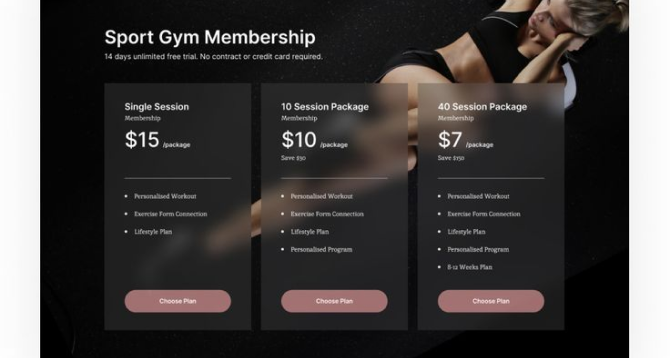
Do all your gym members need the same membership plan? Probably not. Some people want a monthly membership and others…..they prefer an yearly plan or access to a few extra services. Now it depends on what they need and what your gym offers.
No doubt, flexible membership plans are one of the most important features for gym membership management. You start with just two or three plans but as your business grows, you may wanna offer different membership options, too.
For instance, you can have a basic membership for people who need access to your gym facilities. And a premium plan can include personal training sessions or exclusive workout programs. On top of that, you can even offer a free trial or a short term membership for people who want to try your services before committing to a longer plan.
The right WordPress membership plugin allows you to create different membership levels, set their prices and set what each plan includes. It becomes much easier to manage your offerings from one place.
Of course, the most very important thing is to have enough flexibility to offer the options your members actually need.
2. Simple Member Registration And Profiles

How do people register for your gym? Do they need to contact your staff, fill in a paper form, or visit the gym just to complete the process? That may work when you have only a few new members, but it can become difficult to manage as your membership base grows.
Here, people can sign up directly via your WordPress membership site. They can fill in their details, pick a membership plan and create an account on their own with zero hassle.
Member profiles are just as important. After someone joins your gym, you still need to access their contact details, membership information, and account status. Afterall, you don’t want to search through different records every time someone asks about their membership, do ya?
Thus, look for a gym membership plugin that offers a simple registration process and organized member profiles. The easier it is to manage these details, the less time your team needs to spend on routine administration.
3. Secure Payments And Automatic Renewals
How regularly do you need to check membership payments, follow up on overdue fees or remind members about upcoming renewals? If you’re managing everything manually, these tasks can take up a surprising amount of time. And when you have dozens or hundreds of members, keeping track of every payment becomes even more difficult.
No doubt, payment management is one of the most important parts of running a gym membership system. You need a way to collect membership fees, check payment status, and manage subscriptions when they are due for renewal.
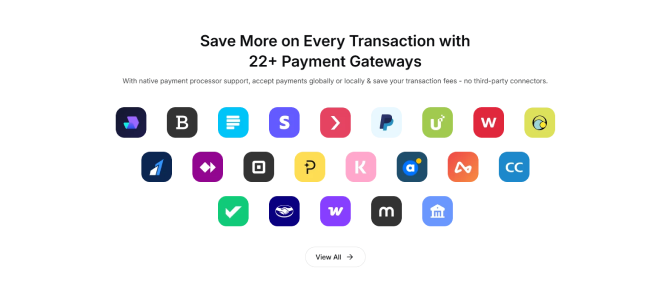
With online payments, members can purchase their plans directly through your website using a supported payment gateway. Automatic renewals can take this further by charging members again when their subscriptions are due, provided the payment method and subscription setup support recurring billing.
But what happens when a payment fails? You still need a way to recognize the issue and let the member know that their payment requires attention.
When choosing a WordPress membership plugin, check which payment gateways it supports, whether recurring billing is available, and how failed payments are handled. These details can have a much bigger effect on your everyday membership management than you may think.
4. Content & Facility Restrictions
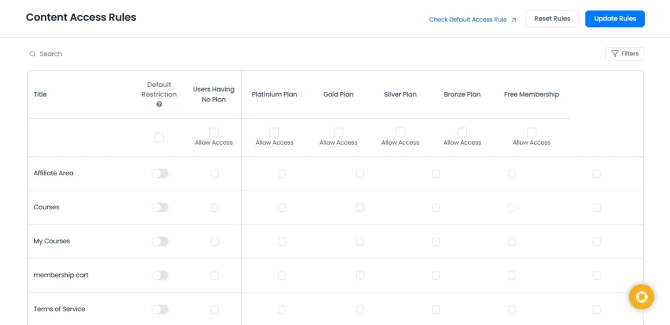
Does every member at your gym get access to the same benefits? Well, maybe not. Someone with a basic membership only needs access to the standard facilities. Meanwhile, a premium member will receive more training resources, workout videos or other benefits.
Thus, you need a membership content restriction feature. Most of all the membership plugin comes with content restriction, but the way it controls which pages, posts, videos, and other online resources members can access based on their membership levels differs. You can offer some content publicly and keep other resources available only to members who have the appropriate plan.
Overall, think about what you actually want to restrict, and If you’re managing online resources, check the plugin’s content protection features first.
5. Online Course Creation
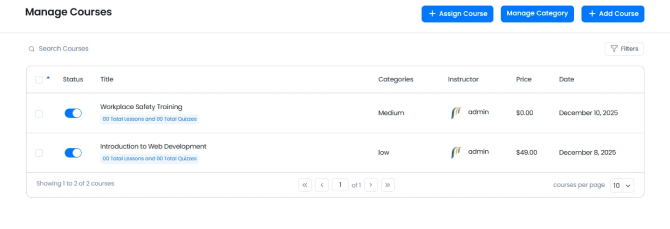
Do you offer only in-person training or do you also want to offer online workout programs?
For many gyms and fitness studios, online training is a useful addition to their existing membership plans. Members can access workout lessons, recorded sessions and other fitness resources even when they are not at the gym.
That’s exactly why you need an online course creation system inside your membership plugin (or at least an LMS integration).
You can create a beginner workout course with different lessons, give recorded exercise demonstrations or offer a training program for members who want to follow a structured routine at home. Best of all, you can even make selected courses available only to people with a particular membership plan.
This can be useful for fitness businesses that offer both in-person and online services. Your members get access to more resources, and your website becomes a place where they can continue their training outside the gym.
But there is one thing to consider. Membership management and course creation are not always the same feature. Some membership plugins let you restrict access to online lessons, while for online courses creation, organizing lessons and tracking student progress, it may need a separate learning management system.
So, if online fitness programs are part of your business, check whether your chosen plugin can create courses directly or integrate with a suitable course-building tool. If you only manage physical gym memberships, you may not need this feature at all.
6. Automated Reminders And Notifications

When do you need to remind members about expiring memberships, confirm payments or follow up on failed subscriptions? You can send these messages manually but it becomes repetitive when the same work needs to be done for many members.
No doubt, automated reminders and notifications can make everyday membership management much easier. Afterall, you can keep members up to date about important info.
For instance, when someone buys a membership plan, they can get a confirmation email with their subscription details. Plus, you can also send reminders before the membership expires or notify members when a payment fails and needs attention.
These notifications can help your team too. You don’t need to remember every upcoming renewal date or manually follow up with every member because the available automation can handle supported messages according to the rules you configure.
That’s exactly why always check which automatic notifications your membership plugin supports. And whether you can customize their timing and content. You may not need every type of message, but having the important ones covered can save your team plenty of time and hassle.
7. Membership And Revenue Reports
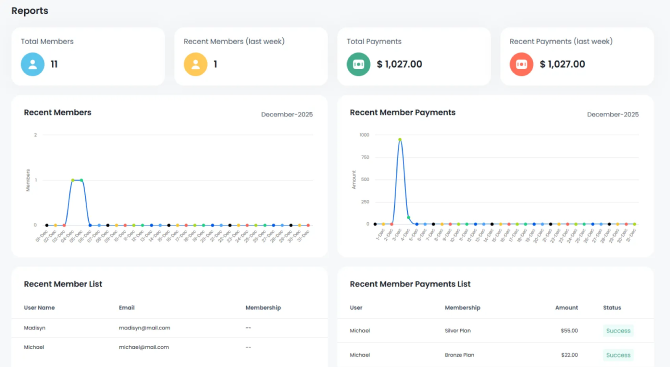
How do you know whether your gym memberships are performing well? You may know how many new members joined this month, but that doesn’t tell you everything about your business.
Apart from this, you also need to understand active memberships, expired plans, renewals and the revenue your subscriptions generate. And that’s exactly why membership and revenue reports matter.
No need to go through individual member records and payment details when you can use reports to get a bigger picture of what’s happening. You see membership statistics, subscription activity and revenue info. Now remember what you see depends totally on the type of plugin you are using and the type of integration you are using.
For instance, if you notice that many memberships are expiring without being renewed, you can review your renewal reminders or the benefits included in those plans. And if one membership level attracts more sign-ups, you can examine whether it continues to perform well over time.
These details make you understand where your membership business is doing well and where you need to make changes.
Now surely, not every WordPress membership plugin offers the same reports. Some offer basic membership statistics. Meanwhile others offer detailed revenue analysis or attendance reports which may require additional tools.
Thus, before choosing a plugin, check which reports are available and whether they give you the information you need. Because a membership dashboard is more useful when it helps you understand your business, not just display a few numbers.
5 WordPress Membership Plugins For Gyms And Fitness Studios
1. ARMember: Best For Membership Plans And Subscriptions
ARMember is an all-in-one membership plugin for WordPress-based gyms and fitness studios. With a set of 62+ in-built addons, it lets you automate membership management, customers data, reminders, and payment.
Best of all, it works perfectly for gyms that need all the features we mentioned above and even more such as flexible paywalls, recurring billing and members portal.
Key features
- Unlimited membership tiers
- Advanced content restriction to paywall your workout videos and nutrition guides
- 22+ payment gateways for automated recurring billing
- 62+ built-in features like coupon management, proration, email marketing integration, and more
- Built-in form builder for gym login forms and registration forms
- Social community, digital downloads, and in-built gamification elements
- Online course creation with no coding
- Automatic notification via Email, SMS, and WhatsApp.
Strengths:
- SaaS-like user interface
- Comes with all the features you need; 62+ in-built addons
- Works with 16+ email marketing integrations and all popular page builders
- Affordable for most gym membership businesses
Limitations:
- Lacks built-in physical check-in tools
- You need a WordPress website to use it
Price:
- Free version available
- The pro plan starts from $89/year.
2. Gym Builder: Best For Fitness-Focused Websites
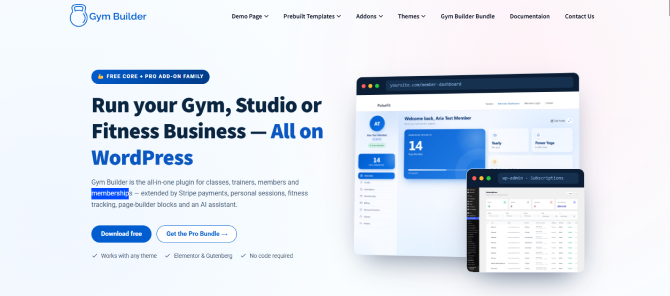
The Gym Builder plugin by WP Dreamers is an advanced WordPress membership system for fitness websites.
This gym membership management plugin offers features like class timetables, online bookings and workout tracking directly. Moreover, you can even manage your actual daily workflows of a physical or digital fitness business right from your WordPress dashboard.
Key features
- Workout and Exercise Creator
- Use chat commands inside the WordPress
- Class timetables and schedules
- Member management module
- Manage 1:1 private training bookings with automated reminders
- Integrated Fitness Calculators
- Run discount codes, coupons, free trials
Strengths:
- All-in-one fitness features
- Simple dashboard
- Comes with user dashboards, login/registration forms and free class registration
- Allows users to build customized workout routines
Limitations:
- Less out-of-the-box native options compared to ARMember
- Steep learning curve
Price:
- Free version available
- The pro plan starts from $59.99/year.
3. WooCommerce Memberships: Best For WooCommerce-Based Membership Sales

WooCommerce Memberships, an official and powerful membership system for gym websites.
Running an active WooCommerce store to sell merchandise, supplements or specific booking products? Well, this gym membership extension will be the right-fit for those running an active WooCommerce store.
Key features
- Advanced content restriction and dripping
- Members discount and perks
- Members-only products
- Flexible access and billing
- Dedicated member area
- Automated email notifications for expiration and renewals
Strengths:
- Deep eCommerce Synergy
- user friendly experience
- No revenue share
Limitations:
- No Built-in recurring billing; needs extra paid extension
- Too expensive for small gyms and fitness studios
Price:
- No free version available
- The pro plan starts from $199/year.
4. Simple Membership: Best Free Membership Solution
The Simple Membership Plugin is a free and lightweight WordPress membership plugin that lets you restrict access to posts, pages, and categories based on free or paid membership levels.
Although it works well for simple content restriction, it is not a specialized gym membership management plugin (such as handling class schedules, equipment booking or trainer assignments), though it can handle basic recurring membership billing.
Key features
- Unlimited membership plans
- Flexible duration models
- Content protection using simple shortcodes
- Automatically handle member signups, login redirects, account expirations, and upgrade/downgrade notifications
- Custom login, registration, and profile update pages
- Member data and logs
Strengths:
- Free core plugin
- Easy to setup
- Stripe and PayPal support
- Developer friendly
Limitations:
- Limited Native pro-rating and upgrades
- Features like social login or specialized extensions requires separate addons
Price:
- Free version available
- Paid addons are available.
5. MemberMouse: Best Enterprise-Focused Membership Plugin
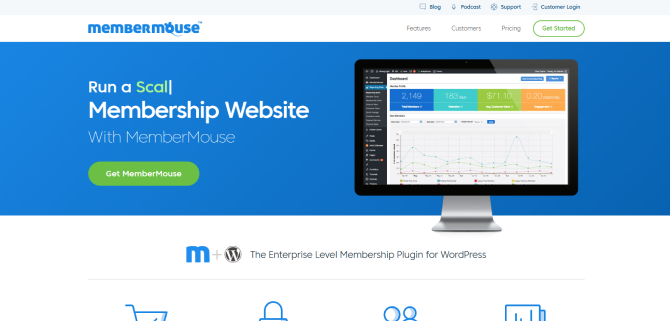
MemberMouse is a famous WordPress gym membership plugin which is used to automate billing, manage subscribers, and protect digital or physical product ecosystems.
For gym and fitness websites, MemberMouse offers a robust, “all-in-one” foundation to handle recurring membership dues, offer flexible add-ons (like personal training or meal plans) and manage automated communication.
Key features
- Flexible membership levels
- Content protection and drip scheduling
- 1 click upsell and smart tags
- Self Service Member Dashboard
- Automated overdue payment handling (Dunning)
- Built-in smart coupon and trial codes
- Automatically syncs member data with popular platforms like Mailchimp or ActiveCampaign
Strengths:
- Handles a complete gym membership site with ease
- No coding needed
- Easy manage tens of thousands of members and heavy traffic
Limitations:
- Commercial, closed-source solution so developers cannot freely modify it
- Steep learning curve
Price:
- No free version available
- The premium plan starts at $149.50 for the first year only because it renews at a higher price, starting at $299/year.
Quick Comparison Of All The Best WordPress Membership Plugins For Gyms
| Feature | 🥇ARMember | 🥈Gym Builder | 🥉WooCommerce Memberships | Simple Membership | MemberMouse |
| Best for | Full membership sites with subscriptions, paywalls, and courses | Gyms, studios, trainers, and class-based fitness sites | WooCommerce stores selling memberships alongside products | Free or simple membership sites | Advanced membership businesses focused on sales and retention |
| Membership levels | Unlimited free and paid plans; upgrades, downgrades, renewals, and cancellations from the member panel | Pricing plans and member packages; more of a gym-management model than a general membership system | Multiple membership tiers tied to WooCommerce products | Unlimited membership levels | Flexible membership levels and access rules |
| Recurring payments | Yes, through supported gateways | Available with the GB Stripe Payments add-on; supports monthly, bi-monthly, quarterly, and yearly intervals | Yes, but requires WooCommerce Subscriptions | Yes for PayPal and Stripe; Braintree support is also available | Yes; supports recurring subscriptions and payment plans |
| Content restriction | Advanced protection for posts, pages, categories, URLs, menus, and forums; drip content supported | Fitness-oriented member content and access features; not a full general-purpose paywall plugin | Strong content and product restriction; supports content dripping | Basic post, page, and category restriction | Advanced restriction across posts, pages, and custom post types; drip scheduling available |
| Payment gateways | 22+ gateways, including Stripe, PayPal, Razorpay, Square, Klarna, Mollie, and regional options | Primarily Stripe via its payments add-on; PayPal and Razorpay are described as ready through its gateway interface | Depends on the WooCommerce payment extensions installed | PayPal, Stripe, and Braintree | Stripe on Basic; PayPal and Braintree on higher plans; Authorize.net on Pro/Elite |
| Automated renewals and reminders | Email, SMS, and WhatsApp notifications; renewal and expiry workflows | Booking reminders and membership features; verify exact renewal-reminder coverage before recommending | Membership expiry and renewal emails; recurring billing depends on WooCommerce Subscriptions | Expiration and membership notification emails | Automated billing, subscription recovery, and overdue-payment workflows |
| Member account dashboard | Yes; members can manage plans, payments, and profile details | User/member dashboards for gym-related activity | Dedicated member area based on WooCommerce accounts | Basic member account and profile pages | Self-service member dashboard with activity and transaction history |
| Class scheduling and bookings | Not built in; requires a booking plugin or integration | Built-in class scheduling and booking features | Not built in; requires a separate booking solution | Not built in | Not built in; requires a separate booking solution |
| Workout and exercise management | Not built in | Workout and exercise creator; fitness tracking available through add-ons | Not built in | Not built in | Not built in |
| Physical gym check-in | Not built in | Attendance tracking is available through add-ons; verify whether it covers your desired check-in workflow | Not built in | Not built in | Not built in |
| Coupons and discounts | Yes | Yes | Member discounts, member-only pricing, and perks | Basic discount options; advanced functionality may require extensions | Coupon codes and members-only pricing |
| Online course creation | Available through its Online Courses add-on; includes lessons, quizzes, and certificates | Fitness-focused content tools; not a dedicated LMS; verify course requirements | Requires a separate LMS such as LearnDash or Tutor LMS | Requires a separate LMS | Courses for MemberMouse is included with the Basic plan |
| Free version | Yes | Yes | No | Yes | No |
| Starting price | Pro from $89/year for one site; free Lite version available | Pro from $59.99/year; core plugin is free, with paid add-ons | From $199/year; WooCommerce Subscriptions costs extra for recurring billing | Free; paid add-ons available | Basic is $149.50 for the first year, then $299/year |
| Main limitation | No native gym check-in or workout management; needs fitness-specific integrations | Not a complete standalone membership platform; core package definitions do not process payments without the Stripe add-on | Recurring billing requires the separate WooCommerce Subscriptions extension | Limited advanced membership, automation, and gym-specific features | Higher renewal pricing and a steeper setup/learning curve |
Final Thoughts
Running a gym means managing plenty of things at once, and memberships are certainly one of them. You need to keep track of active plans, upcoming renewals and the benefits each member can access. And as your membership base grows, having a proper gym membership management system in place becomes even more important.
And thus, a WordPress gym membership plugin is a must. It lets you organize these tasks more easily, without coding or unnecessary hassle.
Our recommendation is ARMember. It’s a great option for managing gym membership plans, recurring subscriptions, member accounts, and protected content. With its smart setup wizard and 62+ built-in addons, you can create a membership structure that best suits your fitness business.
Of course, if you need features like physical gym entry control or advanced online course creation, you’ll need additional tools, such as Gym Builders. But if your main goal is to manage memberships through your website, ARMember is a solid place to start.
Related articles: