

Table of Contents
Looking for the best WooCommerce affiliate plugin to grow your store’s sales? A good one lets you launch an affiliate program, track referral sales, calculate commissions, and pay affiliates without leaving WordPress.
WooCommerce has no complete affiliate system built in, so you need a dedicated plugin for this.
This guide compares seven WooCommerce affiliate plugins on features, commission options, tracking, pricing, and the kind of business each one suits. If you’re launching your first program or running an established network, the comparison should help you narrow the list.
Quick Comparison Of The Best Woocommerce Affiliate Plugins
Here are the seven plugins, what each does best, and the prices listed publicly where we could verify them.
| Plugin | Best for | Free version | Starting paid price | Main limitation |
| AffiliatePress | Flexible affiliate programs | Yes | $79/year | Advanced commission features need a paid plan |
| AffiliateWP | Advanced affiliate management | No | $149.50/year introductory price | Advanced features need higher tier plans |
| SliceWP | Beginners and small businesses | Yes | $169/year introductory price | Several advanced features need paid plans or add ons |
| Affiliate for WooCommerce | Managing affiliates inside WooCommerce | No free version verified | Not verified | Paid extension, so review its current licensing details |
| YITH WooCommerce Affiliates | Stores that already use YITH extensions | Yes | $179.99/year listed for premium | Some commission and payout options need premium |
| Solid Affiliate | Dedicated WooCommerce affiliate management | No free version verified | $149.60/year introductory price | Lower plans restrict advanced features |
| Coupon Affiliates | Coupon driven affiliate campaigns | Yes | $134.99/year promotional price | Pro features need a paid licence |
We checked pricing on October 26, 2026, using public product pages. Prices are in USD, exclude taxes where stated, and may include introductory promotions. Renewal prices and features can differ, so confirm current terms before you buy.
How We Selected These Plugins
We looked at what matters when you run an affiliate program on a WooCommerce store:
- How well the plugin ties affiliate tracking and commissions to WooCommerce orders.
- Whether it tracks sales from affiliate links and, where supported, coupon codes.
- Which commission types it supports: global, individual, per product, recurring, or multilevel.
- How you register, approve, and manage affiliates.
- Whether you can pay commissions manually or through supported payment integrations.
- What the reports show about referrals, commissions, and affiliate performance.
- Whether a free version exists and what costs extra.
- Which kind of business it fits: beginners, growing stores, advanced programs, or coupon campaigns.
This comparison rests on official product pages and documentation available when we researched it. We did not install the plugins or benchmark them against each other.
7 Best Woocommerce Affiliate Plugins(Detailed Reviews)
1. AffiliatePress
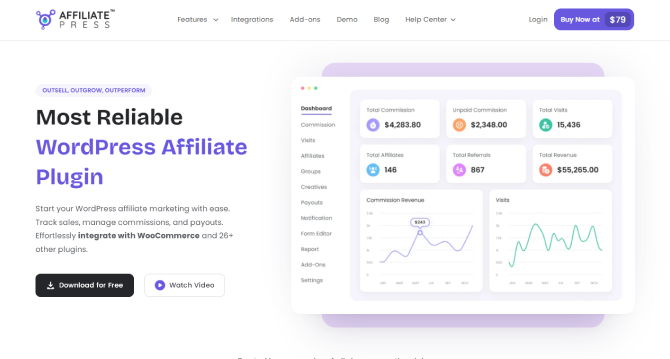
AffiliatePress is a WordPress plugin for creating and running your own affiliate program. It works with WooCommerce and other supported WordPress platforms, so it fits stores that sell physical products, digital products, courses, or memberships.
From the WordPress dashboard, you manage affiliates, track referrals, set commission rules, and review program activity.
Key Features
It tracks referrals and commissions from eligible WooCommerce orders. You can set default commission rates, rates for individual affiliates, and different rates for selected products. Multilevel commissions reward affiliates for qualifying sales that come through their own networks, and tiered rates reward them as they hit performance thresholds. Performance bonuses push affiliates toward sales goals.
Coupon promotions run through the plugin’s coupon functionality, and eligible paid plans add advanced fraud detection. Reports show affiliate activity and commissions. The free version supports manual payouts, and eligible paid plans add more payout options.
Pros and cons
Pros:
- The free version includes WooCommerce integration.
- It supports several commission structures.
- It works with other supported WordPress plugins.
- Paid plans cover businesses with more advanced needs.
Cons:
- The free version leaves out some advanced features.
- Some capabilities, including multilevel commissions, depend on your paid plan.
- You should compare plan limits before you buy.
Pricing and free plan
AffiliatePress has a free version with unlimited affiliates, commissions, and payouts, plus WooCommerce integration and manual payouts. Paid plans add advanced reporting, fraud detection, and more flexible commission structures.
According to the official pricing page when we researched this, the Standard plan costs $79 per year for one site, Professional costs $139 per year, and Enterprise costs $249 per year. The plans differ in site limits and advanced features. Check the pricing page for current promotions and restrictions.
Integrations and compatibility
AffiliatePress works with WooCommerce and a range of other WordPress plugins, including supported membership, eCommerce, and learning management systems. Read the WooCommerce integration documentation before you install it.
Who should use AffiliatePress?
Consider AffiliatePress if you want to build your own affiliate program and control how affiliates earn. A store could pay most affiliates a standard commission, offer a higher rate on selected products, and add performance bonuses to push sales.
Our Verdict: A flexible option for WooCommerce businesses that want to manage affiliates inside WordPress and widen their commission strategy as the program grows.
2. AffiliateWP
AffiliateWP is a WordPress plugin that handles affiliate registrations, referral tracking, commissions, and payouts.
It works with WooCommerce and other supported WordPress eCommerce, membership, course, and form plugins, which helps if you sell through more than one supported platform.
Key features
AffiliateWP covers affiliate registration and management, referral links, tracked affiliate coupons, dashboards, reporting, and commission management. Eligible plans add recurring and lifetime commissions, multitier commissions, fraud prevention, and automated payouts.
Pros and cons
Pros:
- It integrates with a broad range of WordPress plugins.
- It supports advanced affiliate program needs.
- It includes tracking, reporting, and payout tools.
- Its plans suit businesses of different sizes.
Cons:
- No free version is listed.
- Advanced commission and automation features need higher tier plans.
- Introductory prices rise at renewal.
Pricing and free plan
The Personal plan costs $149.50 per year at the introductory price for one site. Plus costs $199.50 per year for two sites, and Pro costs $299.50 per year for five sites. The vendor says regular prices apply at renewal. Check the official pricing page for what each plan includes.
Integrations and compatibility
AffiliateWP supports WooCommerce alongside other supported WordPress platforms. That makes it worth a look if you run an online store next to a membership site or a digital product business.
Who should use AffiliateWP?
AffiliateWP suits businesses that want a dedicated affiliate management system with many supported integrations. A company that sells WooCommerce products and digital courses through supported plugins, for example, may want one affiliate tool that tracks activity across both.
Our Verdict: A strong candidate for businesses that want an established WordPress affiliate plugin with advanced features and broad integration options.
3. SliceWP
SliceWP is a WordPress affiliate plugin designed to keep program setup simple. It has a free version and paid plans for businesses that need more features.
It integrates with WooCommerce and gives you tools to manage affiliates, track referrals, and calculate commissions.
Key features
SliceWP offers affiliate registration and approval, affiliate account pages, referral tracking, commission records, fixed and percentage commissions, WooCommerce integration, and email notifications. Coupon tracking and commissions per product come with premium features, as do extra payout, reporting, and multilevel commission options.
The free version covers core affiliate management. Premium features vary by the active licence.
Pros and cons
Pros:
- A free version is available.
- Setup and the interface are straightforward.
- It integrates with WooCommerce.
- It suits stores starting with a smaller affiliate program.
Cons:
- Some advanced features need paid plans or add ons.
- What you get depends on your licence.
- You should check which payout and commission options each plan includes before you upgrade.
Pricing and free plan
SliceWP offers a free plugin. Pro costs $169 per year at the promotional price for one site, and Pro Plus costs $259 per year for ten sites. The official pricing page says regular renewal prices apply after the introductory offer.
Integrations and compatibility
SliceWP supports WooCommerce and other integrations, including supported digital product and membership plugins. Its WooCommerce integration guide explains how to activate the integration and set commission rates.
Who should use SliceWP?
SliceWP can suit small businesses that want to launch an affiliate program without paying for a plugin right away. A store could invite a few bloggers or creators to promote its products, then upgrade later if it needs advanced reporting, coupon tracking, or more commission structures.
Our Verdict: A practical starting point for beginners who want a free option and room to upgrade.
4. Affiliate For WooCommerce
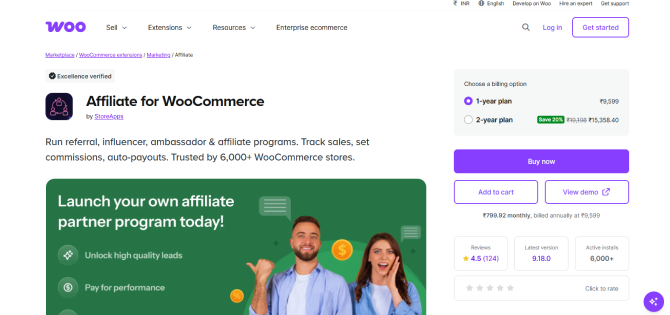
Affiliate for WooCommerce is an extension for managing affiliates, sales, commissions, payouts, and performance reports. Its documentation describes an onboarding process and one central area for the main program tasks.
Key features
The extension includes affiliate registration and management, dashboards, referral tracking, coupons, commission management, sales and performance reporting, payout management, and leaderboards. Check the current documentation and your licence to confirm which commission rules and payout options you get.
Pros and cons
Pros:
- It was built for managing affiliates in WooCommerce.
- It gathers the key program information in one place.
- It comes with onboarding documentation and live demos.
- It suits store owners who prefer a workflow centered on WooCommerce.
Cons:
- We found no free version in the official materials we reviewed.
- It needs a paid licence.
- Verify current pricing and advanced features before you buy.
Pricing and free plan
We could not verify the entry price from the official documentation we reviewed. Check the official extension page for the latest price, licence terms, and included features.
Integrations and compatibility
The extension is built for WooCommerce. Check the official documentation to see how it fits your store setup and your other WooCommerce extensions.
Who should use Affiliate for WooCommerce?
It may suit store owners who want to run their affiliate program through a WooCommerce extension rather than a broader WordPress affiliate tool.
Our Verdict: Worth evaluating if you want central affiliate management for a WooCommerce store and prefer to buy through the WooCommerce marketplace.
5. YITH WooCommerce Affiliates
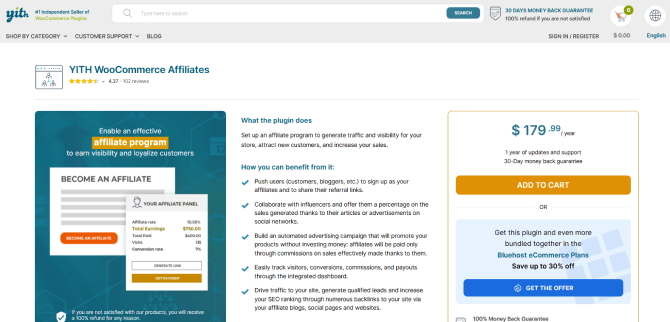
YITH WooCommerce Affiliates helps you launch affiliate programs for your WooCommerce products.
The free version includes affiliate registration, referral tracking, commission management, an affiliate dashboard, basic statistics, and manual bank or wire transfer payments. Premium adds more commission, coupon, reporting, and payout options.
Key features
The free version gives you registration and approval controls, referral links, tracking cookies, an affiliate dashboard, default commission rates, and basic statistics. Premium lets you assign coupons to affiliates, set different commission rates for selected products and other criteria, and schedule or automate payouts through supported methods and integrations.
Pros and cons
Pros:
- A free version is available.
- It includes basic affiliate management and tracking.
- A premium upgrade supports more advanced workflows.
- It fits a store that already uses YITH extensions.
Cons:
- Several advanced commission and payout options need premium.
- Some payment methods need additional YITH extensions.
- If you want extensive multilevel commissions, verify that the available features meet your needs.
Pricing and free plan
The free version is available through WordPress.org. YITH’s official product page lists the premium offering, and pricing depends on the current licence and promotion. We could not independently confirm the premium starting price from the official page we reviewed.
Integrations and compatibility
YITH WooCommerce Affiliates integrates with WooCommerce and fits into the YITH ecosystem. The official product documentation describes additional payment integrations and supported themes and plugins.
Who should use YITH WooCommerce Affiliates?
YITH is worth considering if your store already uses YITH extensions, or if you want to start with basic affiliate management and add advanced capabilities later.
Our Verdict: A useful option for WooCommerce stores that want core affiliate functionality with a free version and a premium upgrade path.
6. Solid Affiliate
Solid Affiliate is a WordPress plugin built around WooCommerce affiliate program management. A setup wizard and a set of tools handle affiliate registrations, referral links, commissions, and payouts.
It connects directly to WooCommerce, so its core store connection doesn’t depend on extra integration plugins.
Key features
Solid Affiliate includes affiliate registration and approval, customizable registration forms, an affiliate portal with referral link generation, and coupon tracking. You can set commissions by product and category. Eligible plans add subscription renewal and lifetime commissions, plus fraud prevention. Reports track affiliate activity, and payouts can be manual or automated through supported options.
Pros and cons
Pros:
- Setup is guided.
- The interface is built around WooCommerce.
- It has an affiliate portal and customizable registration forms.
- It includes reporting and payout tools.
Cons:
- We found no free version in the official materials we reviewed.
- Some advanced features need higher tier plans.
- Introductory pricing differs from regular renewal pricing.
Pricing and free plan
The Starter plan costs $149.60 per year at the introductory price for one site. Expert costs $174.65 per year for three sites, and Pro costs $224.70 per year for ten sites. Regular renewal prices are higher.
Integrations and compatibility
Solid Affiliate is designed mainly for WooCommerce stores. Its official documentation covers affiliate management, tracking, commissions, and payout workflows.
Who should use Solid Affiliate?
Solid Affiliate can suit store owners who want a guided setup and a dedicated affiliate management interface. An online retailer could recruit existing customers as affiliates, approve applications, hand out referral links, and watch commissions from the WordPress dashboard.
Our Verdict: Worth considering if you want an affiliate plugin built for WooCommerce, with guided onboarding and built in management tools.
7. Coupon Affiliates
Coupon Affiliates is a WooCommerce plugin built around coupon marketing.
Partners promote discount codes and referral links, which works well when influencers or creators share offers on social media, in videos, or in newsletters.
Key features
The plugin offers affiliate registration and dashboards, coupon and referral link tracking, commission management, reporting and analytics, and scheduled or supported automatic payouts. It also has affiliate groups, performance bonuses, subscription support, and fraud and security features. Multilevel commissions are available in eligible functionality.
The official feature page describes integrations with WooCommerce Subscriptions and several membership and learning management plugins when products sell through their WooCommerce integration.
Pros and cons
Pros:
- A free version is available.
- It puts strong emphasis on coupon campaigns.
- It offers referral tracking and affiliate reporting.
- Paid plans include extensive affiliate management and payout functionality.
Cons:
- Advanced features need a Pro licence.
- It is built only for WooCommerce.
- If you don’t rely on coupons, compare its wider management workflow with other plugins before you choose.
Pricing and free plan
Coupon Affiliates has a free version and a paid Pro version. When we researched it, the one site Pro plan was listed at a promotional $134.99 per year, with higher prices for licences covering more sites. The introductory discount applies to the first payment, and renewal prices may differ.
Integrations and compatibility
The plugin is built for WooCommerce and supports selected subscription, membership, and learning management setups that process eligible purchases through WooCommerce.
Who should use Coupon Affiliates?
Coupon Affiliates is a strong candidate for stores that recruit influencers, creators, and promotional partners who share discount codes. A beauty store, for example, could give each influencer a unique coupon, then track qualifying purchases and calculate commissions in the plugin.
Our Verdict: Particularly worth evaluating if coupon codes sit at the center of your affiliate marketing.
Feature Comparison: Which Plugin Offers What?
This table compares key affiliate management features. Available means the product materials we reviewed document the feature. Plan dependent means availability depends on the paid tier or an extra integration. Not verified means the sources we reviewed did not confirm it.
| Feature | AffiliatePress | AffiliateWP | SliceWP | Affiliate for WooCommerce | YITH Affiliates | Solid Affiliate | Coupon Affiliates |
| Affiliate registration | Available | Available | Available | Available | Available | Available | Available |
| Affiliate dashboard | Available | Available | Available | Available | Available | Available | Available |
| Referral link tracking | Available | Available | Available | Available | Available | Available | Available |
| Coupon tracking | Plan dependent | Available | Premium feature | Available | Premium feature | Available | Available |
| Commissions per product | Paid plan | Plan dependent | Premium feature | Verify plan | Premium feature | Available | Available |
| Multilevel commissions | Paid plan | Pro plan | Premium feature | Verify plan | Not verified | Not verified | Available in eligible functionality |
| Recurring commissions | Paid plan | Paid plan | Premium feature | Verify plan | Not verified | Eligible plans | Subscription support; commission rules vary |
| Manual payouts | Available | Available | Available | Verify plan | Available | Available | Available |
| Automated payouts | Paid plan | Pro plan | Paid feature | Verify plan | Premium or integration dependent | PayPal automation | Pro functionality |
| Fraud prevention | Paid plan | Paid plan | Not verified | Not verified | Not verified | Eligible plan | Available features |
| Reporting | Available | Available | Core and paid features | Available | Basic and premium reporting | Available | Available |
| WooCommerce integration | Yes | Yes | Yes | Yes | Yes | Yes | Yes |
Features can change, so check the official documentation for your intended plan before you rely on one. Not verified does not mean a plugin lacks the feature.
Pricing Comparison: Free Vs. Paid Plans
Price matters, but the cheapest plugin may not include the commission rules or payout methods your store needs.
| Plugin | Free plan | Entry level paid plan listed | Billing | Site limit at entry level |
| AffiliatePress | Yes | $79/year | Annual; lifetime options also listed | 1 site |
| AffiliateWP | No | $149.50/year introductory price | Annual | 1 site |
| SliceWP | Yes | $169/year introductory price | Annual | 1 site |
| Affiliate for WooCommerce | No free version verified | Not verified | Check official listing | Not verified |
| YITH WooCommerce Affiliates | Yes | Premium price not independently verified | Check official listing | Not verified |
| Solid Affiliate | No free version verified | $149.60/year introductory price | Annual | 1 site |
| Coupon Affiliates | Yes | $134.99/year promotional price | Annual; monthly and lifetime options also listed | 1 site |
We reviewed USD pricing on October 26, 2026. Promotional prices may apply only to the first billing period, so check regular renewal prices, taxes, licence limits, and included features before you buy.
Best Woocommerce Affiliate Plugins By Use Case
Different businesses need different commission structures and management tools. This table can help you narrow your choices.
| Requirement | Plugins worth considering | Why |
| Best for beginners | SliceWP, AffiliatePress | Both offer free starting options |
| Best free starting options | AffiliatePress, SliceWP, YITH, Coupon Affiliates | Each has a free version |
| Advanced commission rules | AffiliatePress, AffiliateWP | Both support advanced commission structures in eligible plans |
| Subscription businesses | AffiliatePress, AffiliateWP, Solid Affiliate, Coupon Affiliates | Evaluate recurring commissions and subscription compatibility |
| Coupon campaigns | Coupon Affiliates, YITH, AffiliatePress | They offer coupon features, depending on plan |
| Multiple client stores | AffiliatePress, SliceWP, AffiliateWP, Solid Affiliate | Licences for several sites are available on selected plans |
| WooCommerce workflow | Affiliate for WooCommerce, Solid Affiliate | Designed around WooCommerce affiliate management |
These are suggestions by use case, not a ranking. For subscription products or multiple stores, verify exact plan limits and integrations before you choose.
How To Choose The Right Woocommerce Affiliate Plugin
Once you have a shortlist, test each option against your real business needs.
1. Check WooCommerce Compatibility
Confirm the plugin supports your current WordPress and WooCommerce versions. If your store uses subscriptions, membership tools, or other checkout extensions, check those integrations too.
2. Understand Affiliate Tracking
Tracking links a sale to the partner who referred the customer. Most programs use referral links, cookies, or coupon codes. A cookie can remember the referring affiliate when a customer comes back later, though the plugin’s attribution rules and the customer’s browser settings affect how well that works.
Pick a plugin that explains how it handles attribution, cookie duration, coupon use, and refunds.
3. Compare Commission Structures
Decide how you want to reward your affiliates:
- Fixed commissions pay a set amount for each qualifying sale.
- Percentage commissions pay a share of the eligible order value.
- Commissions per product give selected products their own rates.
- Tiered commissions raise the rate when affiliates hit defined targets.
- Multilevel commissions reward affiliates for qualifying sales that come through a referral network.
- Recurring commissions reward eligible repeat or subscription payments.
Not every plugin supports every structure in its basic plan, so pick one that supports your model without forcing upgrades you don’t need.
4. Review Payout Options
Check how commissions get paid and whether that process suits your business. Depending on the plugin and plan, you can pay affiliates manually, use supported PayPal or Stripe integrations, offer store credit, or automate eligible payouts.
Calculating commissions automatically is not the same as sending money automatically.
5. Look At Affiliate Management Tools
If you expect to recruit many partners, look for registration forms, approval workflows, affiliate dashboards, email notifications, marketing materials, and performance reports. These make onboarding easier and keep affiliates informed about their results.
6. Check Fraud Prevention
Look at how the plugin detects suspicious referrals, self referrals, coupon misuse, and invalid commissions. No system catches every case, so your own review and approval process still matters.
7. Compare Total Cost
Don’t compare plugins on promotional prices alone. Factor in renewal prices, the number of sites covered, premium restrictions, extra integration costs, and support terms.
A free plugin may be enough for a small program. A growing business may do better with a paid plan if it cuts manual work or supplies the commission and payout tools it needs.
How To Set Up An Affiliate Program In Woocommerce
After you pick a plugin, these general steps will get your program live.
- Install the plugin from the official product page or the WordPress plugin directory, then activate it.
- Turn on WooCommerce integration in the plugin settings if it isn’t automatic.
- Set your default commission rate and any rules for products or individual affiliates.
- Create an affiliate registration page and decide whether applications need approval.
- Set up referral links, cookie settings, and coupon attribution where supported.
- Choose your payout methods and decide when commissions become eligible for payment.
- Invite bloggers, creators, customers, and partners who can reach your target audience.
- Place a test order with an affiliate link or coupon, and check that the order, commission, and report entries look right.
- Review clicks, conversions, approved commissions, and payout records to find your best partners and improve the program.
For plugin specific setup instructions, use the official documentation linked in the reviews above.
Final Verdict: Which WooCommerce Affiliate Plugin Should You Choose?
So… that’s it for today. This guide will now explore all the best affiliate plugins for WordPress. But, which one should you pick?
The right affiliate marketing plugin is the one that matches your business model, commission strategy, budget and growth plans. And if you’re still confused which one to start with, below is a quick decision making summary of everything we discussed:
- Want a free starting option with a range of commission structures and supported WordPress integrations? Get AffiliatePress.
- Need advanced affiliate management and a popular tool? Choose AffiliateWP.
- Just starting a program and want a simple setup with a free version?
- SliceWP is a good option.
- Looking for an extension focused on the WooCommerce ecosystem? Opt for Affiliate for WooCommerce.
- Want basic affiliate features or already use YITH extensions? YITH WooCommerce Affiliates is worth considering.
- A guided setup and dedicated WooCommerce affiliate management? Solid Affiliate is a great option.
- If coupon codes and influencer promotions drive your affiliate strategy,
- Coupon Affiliates is the best starting point.
Whichever you choose, always make sure you try its free version, demo or trial before making any buying decisions.
Related articles:
- 5 Best WordPress Themes for Affiliate Marketing in 2026
- 15+ Best WordPress Themes For Affiliate Blogs In 2026
- AffiliatePress Review
FAQs
What is the best WooCommerce affiliate plugin in 2026?
AffiliatePress is the best WooCommerce affiliate plugin available here. It’s the most comprehensive manager on the market, with flexible commissions, real-time tracking, affiliate coupons, leaderboards, tiered commissions, and automatic payouts.
Is there a free WooCommerce affiliate plugin?
Yes, Of Course! There are many free WooCommerce affiliate plugins that lets you create and launch your own affiliate program such as:
– AffiliatePress
– SliceWP
– YITH WooCommerce Affiliates
– Coupon Affiliates
Which WooCommerce affiliate plugin is easiest for beginners?
SliceWP and AffiliatePress are worth a look if you’re new to affiliate marketing and want a free start. Solid Affiliate offers a guided setup if you prefer that, though it is a paid plugin. AffiliatePress, on the other hand, also offers an easy guided setup for creating a complete affiliate marketing program.
Can WooCommerce track affiliate sales without a plugin?
No, WooCommerce only manages orders and coupons. It doesn’t feature affiliate registration, referral attribution, commission calculation, or payouts. Thus, you need an affiliate plugin or an external affiliate management service.
What is the difference between an affiliate plugin and a referral plugin?
An affiliate plugin usually helps a business recruit partners who promote products for commissions. A referral plugin typically encourages existing customers to invite friends in return for rewards or discounts. Some plugins do both, so check the specific features.
Which plugins support coupon tracking for affiliates?
Coupon Affiliates focuses most heavily on coupons. AffiliatePress, AffiliateWP, SliceWP, YITH WooCommerce Affiliates, and Solid Affiliate also offer coupon features, though some depend on your plan.
Can WooCommerce affiliate plugins automate payouts?
Some can. AffiliateWP, AffiliatePress, Solid Affiliate, Coupon Affiliates, and YITH support payout automation or integrations in eligible plans. Check which payment methods they support and whether your licence includes automatic payouts.
How do I prevent affiliate fraud?
Start with affiliate approval, clear program terms, and regular reviews of referrals and commissions. Use a plugin with fraud prevention tools, watch for unusual activity, and set rules for self referrals, coupon abuse, and refunds. Those tools reduce risk but don’t replace ongoing monitoring.