

Table of Contents
Are you looking for the must-have WordPress automation tools that saves hours every week? Your search ends here.
Many website owners believe they need more staff, more plugins or more hours in the day to grow their WordPress site.
In reality, they need better WordPress automation.
WordPress automation tools are the plugins that connect your WordPress site to other apps that automates tasks which you have to do again and again. These WordPress tools work on trigger and action logic.
A single automated workflow can replace dozens of repetitive tasks, from sending emails and syncing customer data to managing memberships and updating CRM records. And when basic tasks are automated, your team can operate faster with less errors.
The challenge is finding the right automation tool for WordPress.
Despite having over 64,000 plugins in WordPress repository, finding the right automation plugin gets tricky. Some WordPress automation plugins focus on only simple trigger action workflows, while others offer advanced integrations, ecommerce automation and CRM connectivity.
To help you find the right fit, we’ve reviewed the top WordPress automation tools worth considering in 2026.
Quick Look: Top WordPress Automation Tools to Boost Productivity (2026 Edition)
In a hurry? No Worries! Take a look at the best WordPress automation plugins and tools to boost your business’s productivity.
| Tool | Best For | Free Version | Starting Price |
| Uncanny Automator | Overall WordPress automation. | ✅ | $199/year |
| CartCue | WooCommerce automation plugin built for store owners | ✅ | $59/year |
| WP Webhooks | Advanced webhooks and APIs. | ✅ | $149/year |
| OttoKit | No-code workflow automation. | ✅ | $108/year |
| Bit Integrations | Forms, CRM and marketing automation. | ✅ | $39/year |
| FlowMattic | Complex multi-step workflows. | ✅ | $129/year |
| FunnelKit Automations | WooCommerce automation. | ✅ | $129/year |
| WP Fusion | CRM and membership automation. | ✅ | $297/year |
| FluentCRM | Email marketing automation. | ✅ | $129/year |
| AutomatorWP | Plugin-to-plugin automation. | ✅ | $149/year |
10 Best WordPress Automation Tools Every Site Owner Needs in 2026
1. Uncanny Automator

Uncanny Automator is the best WordPress automation tool for every WordPress site owner.
The first thing that stands out about Uncanny Automator is how quickly it turns complex workflows into simple “if this, then that” automations.
Uncanny Automator connects hundreds of WordPress plugins and third party apps via an intuitive recipe builder. Whether you want to automatically enroll users in courses, add leads to your CRM, trigger email sequences, or connect WooCommerce with marketing tools, it handles everything with no custom code.
For most website owners, it’s one of the easiest ways to remove repetitive tasks from your schedule and build powerful automations in minutes.
Key Features :
- Over 230+ integrations
- Dynamic token system
- Conditional logic filters
- Uncanny AI Agent
- Advanced webhook support
Cost:
- Free version available
- The premium plans starts at $199/year
2. CartCue

CartCue is a WooCommerce automation plugin built for store owners who want recovery and follow-up workflows that are genuinely easy to read and build. What sets CartCue apart is its plain-language automation grammar. Every workflow is structured as When → And → Wait → Then, so you can see at a glance exactly what fires an automation, which conditions narrow it down, how long it waits, and what action it takes.
Instead of wrestling with abstract nodes and connectors, you describe the customer journey the way you’d say it out loud: when a cart is abandoned, and the order value is over $50, wait one hour, then send a reminder email. That readability makes CartCue especially approachable for non-developers, while still giving you the depth to chain multi-step campaigns for abandoned cart recovery, post-purchase follow-ups, win-back sequences and more.
For WooCommerce stores that want focused, store-specific automation without the bloat of a general-purpose platform, CartCue is one of the most lightweight and intuitive options available.
Key Features :
- When → And → Wait → Then visual workflow grammar
- WooCommerce-native triggers (abandoned cart, new order, purchase and more)
- Built-in email builder with live audience preview
- Campaign grouping to organize related automations
- Guided first-run setup wizard for fast onboarding
Cost:
- Free version available
3. OttoKit

OttoKit is a modern WordPress automation plugin for business owners who want to connect their websites with over thousands of popular apps and services.
What makes OttoKit stand out is its balance between easy-of-use and powerful features. The visual workflow builder makes it so much easier to make automated processes. On the other side, its extensive integration library allows businesses to automate marketing, lead management, ecommerce operations and customer communication from a one dashboard.
For website owners looking for a user-friendly alternative to external automation platforms, OttoKit offers an impressive combination of flexibility and ease of use.
Key Features :
- Over 1,500+ integrations
- Processes workflows on external cloud servers
- Interactive drag and drop workflow canvas
- Connects deeply with native WordPress eCommerce plugins
- Smart AI workflow automation
Cost:
- Free version available
- The premium plans starts at $108/Year
4. Bit Integrations

Bit Integrations is a lightweight yet powerful WordPress automation plugin for connecting forms, CRMs, email marketing tools, and business applications.
The plugin excels at moving data automatically between WordPress and third party services. Whether you want to send form submissions to a CRM, add subscribers to an email list or automate lead management workflows, Bit Integrations simplifies the entire process via beginner friendly interface.
For small businesses, marketers and website owners who want reliable automation, Bit Integrations gives excellent value.
Key Features :
- Sends unlimited WordPress data to 335+ platforms
- Conditional logic for dynamic workflows
- Multi-site support
- Field mapping and custom value
- 4000+ automation events
Cost:
- Free version available
- The premium plans starts at $39/Year
5. FlowMattic
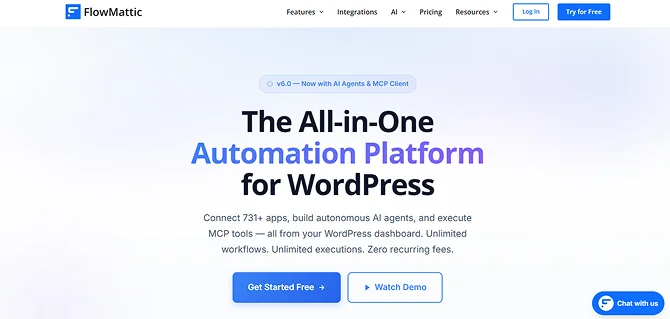
FlowMattic is another one of the most powerful workflow automation plugin built for WordPress users who want to create advanced multi step automations without relying on external platforms.
What immediately caught our attention to this automation tool is its visual workflow builder. You can go beyond simple triggers and actions, and create complex workflows involving APIs, webhooks, data processing, conditional logic and third party applications.
Key Features :
- Integrates with 731+ apps for automation
- Build autonomous agents with 10 AI providers
- Connect to any MCP server via SSE or HTTP
- 51+ built-in modules for every scenario
- Automated order fulfillment and tracking
Cost:
- Free version available
- The premium plans starts at $129/year
6. FunnelKit Automations

FunnelKit Automations is one of the best WordPress automation plugins for WooCommerce stores that want to automate their marketing and customer journeys.
The best part of this automation tool is it is not like any other general purpose automation tools. FunnelKit Automations is all about ecommerce growth. From abandoned cart recovery and post purchase follow ups to personalized email sequences and customer segmentation, it lets your online stores create automated experiences for driving more sales with less efforts.
If your primary goal is boosting your WooCommerce revenue with automation, FunnelKit Automations is easily one of the top options available.
Key Features :
- 30+ Prebuilt Automations
- 360-Degree Contact Profiles
- Dynamic audience segmentation
- eCommerce and abandoned cart recovery
- In-depth analytics
Cost:
- Free version available
- The premium plans starts at $129/year
7. WP Fusion
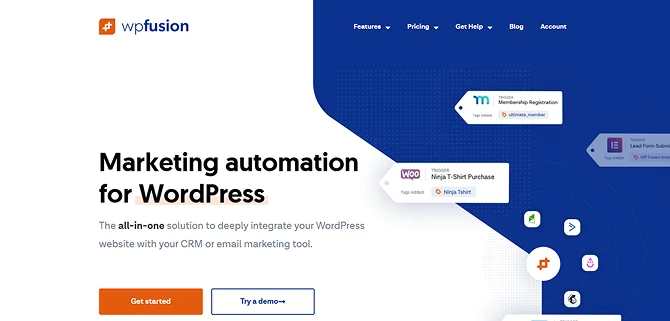
WP Fusion is a specialized WordPress automation plugin that connects your website with leading CRM and marketing automation platforms.
The plugin shines when it comes to customer data synchronization. It automatically syncs user activity, membership access, purchases, course enrollments and customer data with your CRM. This feature alone makes it particularly valuable for membership websites, online course platforms and businesses that rely too much on customer segmentation.
For site owners who want deeper CRM driven automation, WP Fusion is still one of the most trusted automation tools in the WordPress ecosystem.
Key Features :
- Over 170+ WordPress plugin integrations
- More than 60+ different CRMS
- Advanced Tag-based site personalization and content restriction
- Tight bidirectional field mapping
- Real time activity tracking
Cost:
- Free version available
- The premium plans starts at $297/Year
8. FluentCRM

FluentCRM is a self hosted email marketing and automation tool for WordPress that allows you to manage customer relationships directly from your WordPress dashboard.
Using FluentCRM, you can build email sequences, segment contacts, automate follow ups and track customer interactions without leaving WordPress. Combined with its growing integration ecosystem, it has become a popular choice for membership sites, course creators, agencies and online businesses.
Key Features :
- Behavioral triggers and workflows
- Native support for 45+ WordPress plugins
- Advanced contact segmentations
- Gutenberg native email editor
- Multi-channel and AI capabilities
Cost:
- Free version available
- The premium plans starts at $129/year
9. AutomatorWP
AutomatorWP is one of the most flexible WordPress automation tools that lets you connect plugins, automate tasks and build workflows with zero coding.
The plugin follows a familiar trigger-and-action approach which makes it easy to create automations as per the user activity across your website.
No matter whether you want to reward users for completing actions, automate membership workflows, connect learning platforms or automate customer interactions, AutomatorWP gives you a straightforward way backed by a large collection of integrations.
Although it faces strong competition from higher ranked automation platforms, it’s still a reliable WordPress automation tool for website owners looking to automate everyday WordPress processes.
Key Features :
- Integrates with over 200+ WordPress plugins and platforms
- Unlimited triggers and actions
- Dynamic content tags
- Bi-directional webhooks
- Server-safe framework
Cost:
- Free version available
- The premium plans starts at $149/Year
10. WP Webhooks
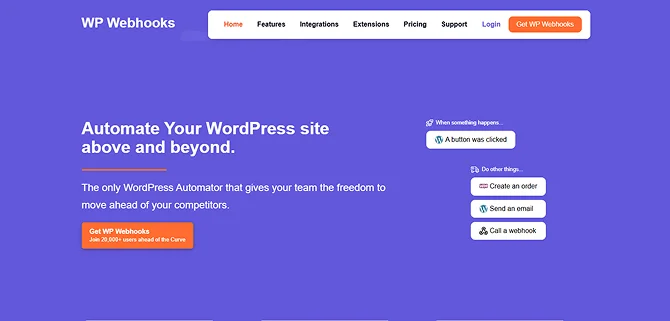
WP Webhooks is one of the most powerful WordPress automation tools for users who need complete control over their workflows.
This WordPress automation tool lets you connect your WordPress site with virtually any application, service or custom system using webhooks and APIs.
For developers, agencies and advanced users, WP Webhooks is an excellent pick for creating custom automations with no complex code.
Key Features :
- Over 100+ integrations
- Delay and Scheduler
- Logs and data mapping
- Dual-framework system
- Bi-directional data flow
Cost:
- Free version available
- The premium plans starts at $149/year
Time to Put WordPress on Autopilot
Managing a WordPress website can quickly become exhausting when repetitive tasks start piling up. Handling leads, customer data, sending emails and managing ecommerce workflows, are the small manual tasks that take hours of your precious time every week.
Thus most growing or enterprise-level businesses now use WordPress automation tools. By connecting your plugins, apps and business processes, these WordPress tools help automate daily operations, lower human errors and improve overall productivity.
No matter whether you’re running a blog, membership site, online store, agency or course platform, there is an automation tool designed for your needs.
Start with a few simple workflows, identify the tasks that take up the most time and with time, expand your automations as your website grows.
You May Also Like:
- Best LearnDash Alternatives to Build Online Courses
- 5 Best Auto-Blogging Plugins for WordPress in 2026
- 5 Best Free AI Plugins For WordPress (Must Have! 😮)
FAQs
Can we automate a WordPress website?
Yes, Of Course! You can automate a WordPress website by using WordPress automation plugins such as Uncanny Automator, WP Fusion and more.
What is the free automation tool for WordPress?
Uncanny Automator, Automator WP and Bit Integrations are the free automation tools for WordPress.
Is WordPress an automation tool?
No, WordPress is not an automation tool, but a content management system. However, you can install and activate WordPress automation plugins to make it work as a powerful automation system.
How to automate a WordPress website?
You can automate a WordPress website by using WordPress automation tools and plugins such as Automator WP, Bit Flows, And Uncanny Automator. Simply connect any of them to your WordPress site elements and it will manage the rest automatically.
What are the best WordPress automation plugins?
Here are the best WordPress automation plugins:
-Uncanny Automator
-WP Webhooks
-Otto Kit
-Bit Integrations
-FlowMattic