

Table of Contents
You’ve got ideas, content, and maybe even a marketing team ready to roll but which CMS will actually make your life easier?
Well, you’ve probably heard of HubSpot CMS and WordPress both by now. Both are content management systems, but HubSpot CMS promises a tightly integrated marketing platform with options & tools, while WordPress offers unmatched flexibility and control.
So now the question arises, “Which one suits you the best?”
There are many things to take into consideration such as whether the CMS you choose aligns with your goals, your team’s workflow and even your budget.
So why not find the answers yourself?
In this blog, we’ll put together both the best and most popular CMS: HubSpot CMS vs. WordPress. Let’s see how these two compare so you can choose your best fit.
Quick Comparison: WordPress vs HubSpot CMS
Don’t have time to read? If you say so, take a glance at the best content management system comparison, HubSpot CMS vs WordPress, to make a quick decision.
| Feature | WordPress | HubSpot CMS |
| Platform Type | Open source CMS | All in one SaaS CMS |
| Ease of Use | Moderate. Needs setup, plugins, and maintenance | Very easy drag and drop editor, no maintenance |
| Customization | Unlimited with plugins & code access | Limited to built-in modules and templates |
| SEO Tools | Plugin based (Yoast, Rank Math) | Built-in SEO optimization & analytics |
| Integrations | Thousands of third party plugins | Natively integrated with HubSpot CRM & Marketing Hub |
| Hosting & Security | Self managed hosting & backups | Fully managed by HubSpot |
| Ideal Users | Developers, bloggers, and SMBs need flexibility | Marketers & sales teams want simplicity |
| Pricing Model | Free core + paid hosting/plugins | Subscription-based plans |
| Scalability | High (customizable for any site type) | High (great for marketing-led growth) |
| Support | Community forums, paid support optional | 24/7 professional support included |
Even so, we still recommend you read the full blog to never miss an important feature.
What is HubSpot CMS?
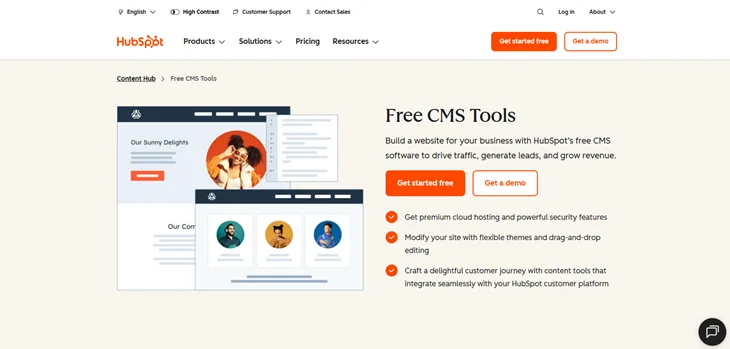
HubSpot CMS is a content management system that allows you to create and manage websites, landing pages and blogs. It comes with a simple drag and drop editor and a lot of built-in tools for creating pages, blog posts and more.
One of its highlighted features here is their integrates with the HubSpot CRM platform, which comes with all marketing, sales and services hubs. Thus, with HubSpot CMS, you get an all-in-one solution for taking your business to the next level.
What Makes it the Best CMS:
- Native CRM integration for tracking all visitor interactions in a single database.
- Built-in optimization and analytics.
- Marketer friendly.
- Powerful security and speed.
- Fully responsive designs.
- Easy drag and drop editor.
- Built-in SEO for real time recommendations.
- AI assistance to generate smart personalized content and automate tasks.
What is WordPress CMS?
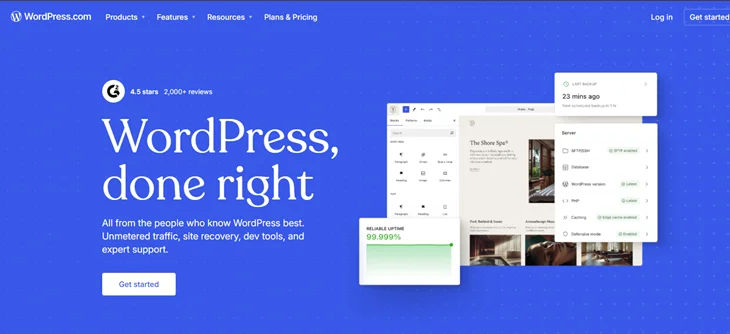
WordPress is the most popular, free and open source content management system that allows you to create and manage your websites without any coding skills.
From simple blogs to complex online stores, WordPress makes creating every website a smooth experience. It comes with a user-friendly dashboard, multiple WordPress themes and a lot of plugins to extend its functionalities.
What Makes it the Best CMS:
- Super easy to use.
- Offers thousands of free themes for full customization.
- Extensive plugins ecosystem with over 60,000 plugins available.
- Powerful content management tools.
- Fully responsive.
- Built-in system for user management.
- Turn your normal website into an online store with its free WooCommerce plugin.
HubSpot vs WordPress: Key Differences You Need to Know
Choosing between HubSpot CMS and WordPress isn’t just about picking a tool. It’s about deciding how your content strategy, marketing efforts, and website management work.
While both platforms can power websites, blogs, and landing pages, they differ in so many ways ,such as:
1. Ease of Use: Which Platform Will Your Team Actually Use?
Let’s be honest here: if your team struggles to use a platform, it doesn’t matter how powerful it is. That’s why the ease of use matters first things first when choosing any CMS.
HubSpot CMS: This CMS is designed for non technical users and offers a simple drag and drop editor for building landing pages. Plus, it also comes with many pre-built templates too.
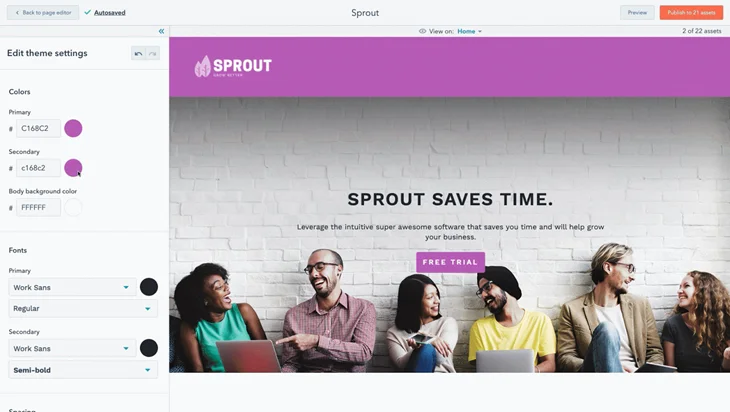
Furthermore, your marketing teams can easily manage blogs, landing pages and CTAs without touching a line of code. Everything from SEO recommendations to lead tracking is built in, so your team spends less time troubleshooting and more time creating.
WordPress: While WordPress is incredibly flexible, it comes with a little learning curve, which no one can deny. If your marketing team isn’t techy, they need to learn to be one.
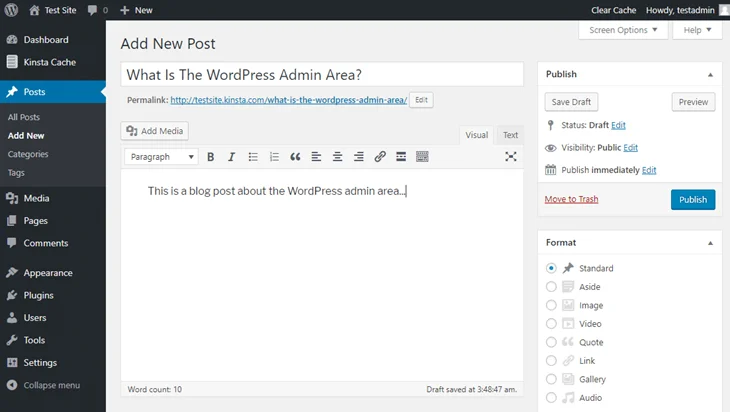
Well, its built-in editor (Gutenberg or classic) is sure user friendly for basic content, but managing plugins, themes, and integrations can get a little bit tricky. Thus, your Teams may need training or a developer’s help to implement advanced functionality, automate workflows or enable security.
The Winner:
HubSpot is the choice if you want a plug and play, marketer first experience. On the other side, WordPress is perfect if your team values full control and customization, even if it takes a bit more effort to master.
2. SEO & Content Strategy Tools: How Each CMS Supports Your Marketing Goals?
When it comes to SEO and content strategy, there are only two outcomes.
Whether your CMS can make your SEO journey super smooth, or just add extra load, which no one wants, so choose whichever you want, with all factors in mind. So let’s see how each CMS supports your marketing goals:
HubSpot CMS: This CMS comes with built-in SEO recommendations, automated sitemaps and analytics too. Best of all, the Integrated marketing tools in it help you plan campaigns, track leads, and personalize content with no extra plugins.
WordPress: WordPress comes with powerful SEO plugins like Yoast or Rank Math. You can also fully customize content, metadata and site structure but setup will surely take some effort.
The Winner:
HubSpot is great for teams who want an all in one automated SEO support, while WordPress is good for those who want full control and plugin based optimization.
3. Customization & Flexibility: How Much Can You Make It Your Own?
When it comes to making your website truly yours, customization matters a lot more than you think. Let’s find out how much you can customize your website and style it the way you want:
WordPress: Think of it as a blank canvas. There are over thousands of themes, plugins, and custom code options that allow you to create anything. From a simple blog to a complex enterprise site, WordPress is the most flexible CMS. If you can imagine it, WordPress can probably build it, but you’ll need to know some coding to make it happen.
HubSpot CMS: Unlike WordPress, HubSpot CMS offers a more guided approach. Here, you can customize templates, modules, and layouts too. However, it’s designed to stay within a polished ecosystem so you can unleash your creativity the same way you did in WordPress.
The Winner:
Here the WordPress is better. It gives you limitless flexibility and customization, while HubSpot delivers smart, marketer friendly customization without the tech stress.
4. True Cost of Ownership: What Will You Really Pay?
Nowadays, choosing a CMS that suits your content strategy the best isn’t just about features alone. For tech startups and small businesses, it’s also about total cost and hidden expenses. Afterall, everything comes with a price, including CMS too.
WordPress: WordPress is free to use, but costs can add up. From premium themes, plugins, hosting, to security, all this can increase your budget within the blink of an eye. But here you control your website fully and only pay for what you need.
HubSpot CMS: This CMS sure comes with transparent pricing, but higher prices as you grow. You pay for the all in one platform, which already comes with hosting, security, SEO tools, and marketing automation. Although a few addons are needed and support is included, saving time and headaches, it can still feel steep for smaller teams.
The Winner:
Here, WordPress is more affordable to get started, but ongoing expenses via plugins and themes sure follows in the future. On the other side, HubSpot CMS gives you clear and predictable pricing with more built in value, especially for teams that need more efficiency and support.
Picking Your CMS Strategy: Flexibility vs All-in-One Convenience
In the end, we all know choosing the right CMS ultimately comes down to your priorities – freedom or simplicity.
If you value flexibility, WordPress is the best of all picks. It gives you full control over design, functionality, and integrations. Further, you can customize every detail of your brand and upscale in the future as you want. However, you sure need to give it more time, technical know how, and ongoing maintenance.
If you want all in one convenience: HubSpot CMS is loaded with everything you need. From hosting, security, marketing tools, to analytics, all packed into a single platform to give you a full experience of convenience.
Moreover, teams can launch campaigns much faster, track results and focus on actual content strategy rather than technical setup. But remember that customization options are more limited compared to WordPress.
So who won this round? It’s a tie!
Verdict: Pick WordPress if you crave more control and customization. Go with HubSpot if you want a marketer friendly convenience without juggling multiple tools.
Final Words
There isn’t a single “perfect” CMS. The best choice completely depends on your team, goals, and how hands-on you want to be with your website. Still, if you’re confused, we’ll help you make the right decision:
Choose The WordPress CMS if:
- You love having full creative and technical control over your website and content.
- Your focus is on publishing content such as blogs, portfolios or news sites without needing a fully integrated CRM.
- Budget matters the most. You’re ready to invest your time (or a developer’s) to keep costs low while building something powerful.
- You already have a marketing stack you love and want to plug it into your site seamlessly.
- Want endless plugins and themes to customize your website to match perfectly with your brand.
Pick the HubSpot CMS if:
- Your website is the main source for marketing, lead generation, and sales growth. Plus, your priority is ROI and customer insights.
- Your team is fully marketing focused with no tech knowledge but still you want to publish content, create landing pages and campaigns in a fast and simple way.
- You value an all in one system where CMS, CRM, email marketing, and analytics work together without any headaches.
- Security, support, and peace of mind matter the most for you.
Make sure to keep your priorities straight. Decide how much control vs convenience you want and what fits your budget the best in the long run. Afterall, a content management system isn’t something you can change like a pair of socks.
You May Also Like:
- How to Choose WordPress Hosting? (Complete Guide)
- How To Try WordPress Without Hosting Or Domain For Free
- WordPress Website Launch Checklist (Beginner Guide)
FAQs
Is HubSpot better than WordPress?
No one is better than one another here. HubSpot CMS is a better choice if you want an all-in-one platform that smoothly integrates with CRM, SEO and analytics tools. Meanwhile, WordPress is better than HubSpot CMS when it comes to flexibility, customization and cost.
Which CMS is better than WordPress?
There are many CMS which are better than WordPress for many businesses such as:
🔹 HubSpot CMS
🔹 Squarespace
🔹 Wix
🔹 Shopify
🔹 Drupal
Which CMS platform is best?
In 2026, WordPress is the best CMS platform for creating and managing websites, blogs and posts. It’s one of the most popular CMS platforms that powers over 40% of all websites in the world, making it a perfect long term CMS platform choice.
Is HubSpot CMS free?
Yes, HubSpot CMS comes with a free version. Its free version offers basic tools for creating a website with its simple drag and drop editor, themes and free cloud hosting. For advanced features like URL redirects, you can opt for its paid plans.