

Product customization is becoming an essential feature for many online stores. Whether you sell furniture, apparel, electronics, or personalized gifts, allowing customers to configure products before purchase can dramatically improve the buying experience.
One plugin designed specifically for this purpose is WP Configurator Builder (WCB), the Gutenberg-based product configurator builder plugin.
In this blog, we’ll review its features, benefits, and limitations to help you decide if it’s the right solution for your website.
What is WP Configurator Builder (WCB)?
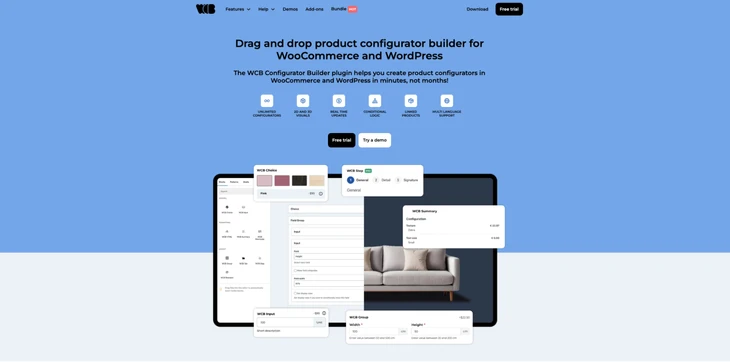
WP Configurator Builder (WCB) is a product configurator plugin for WordPress that allows you to create interactive product customization experiences.
It enables customers to choose options, modify visuals, and see real-time updates of their configured products before placing an order.
The plugin works particularly well with WooCommerce, enabling customers to customize their products and then add the configured item directly to the cart and go through the checkout process effortlessly.
One of the main goals of the WCB plugin is to make complex product customization accessible without coding. Using a drag-and-drop interface based on the Gutenberg editor, store owners can easily create configuration forms right from their WordPress admin dashboard.
The WCB product configurator builder is commonly used for products like:
- Custom furniture
- Apparel and merchandise
- Electronics or PC builders
- Shoes and bags
- Musical instruments
- Handmade or personalized products
The WCB plugin is available to download for free on the WordPress.org plugin repository. The plugin also has a paid plan, which gives you access to more advanced features. The pricing for the Pro plan is listed in the table below:
| Pricing details | What you get |
| $149/year for 1 website | 8 add-ons (form actions, pro fields, conditional logic, advanced pricing, inventory management, ai prompts, analytics, import/export) + future add-ons |
| $299/year for 5 websites | 8 add-ons + future add-ons |
| $499/year for 25 websites | 8 add-ons + future add-ons |
Total Active Users: 100+
Average Rating: 5/5 (WordPress.org)
Release date: 2026
Key Features of WordPress Product Configurator Plugin
1. Drag-and-drop configurator builder
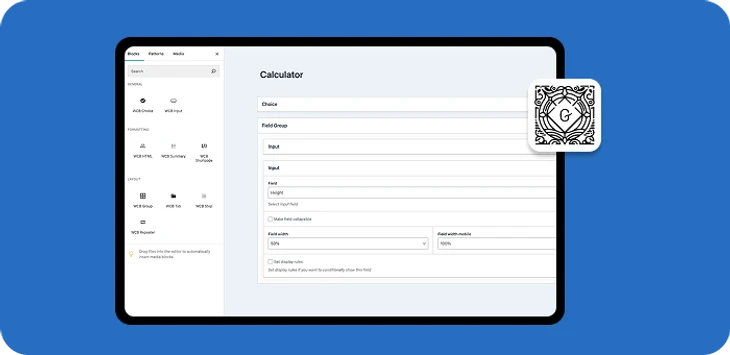
The WCB plugin provides a visual editor that allows users to create configuration forms without coding. You can add unlimited fields, reorder them, and apply the configurator to any product or page.
2. Real-time product visualization
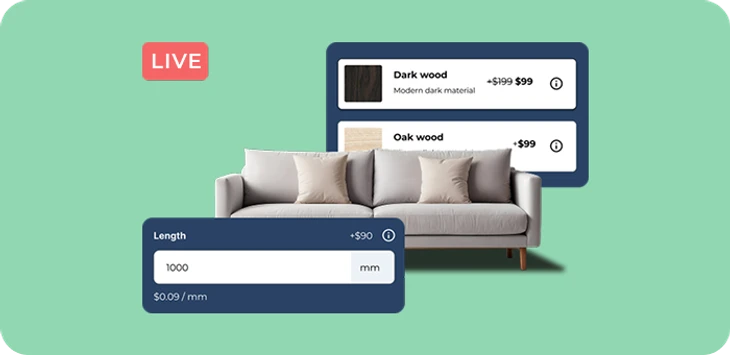
Customers see changes instantly as they select options. Images and pricing update dynamically, improving engagement and helping buyers understand what they are purchasing.
3. Layer-based image system
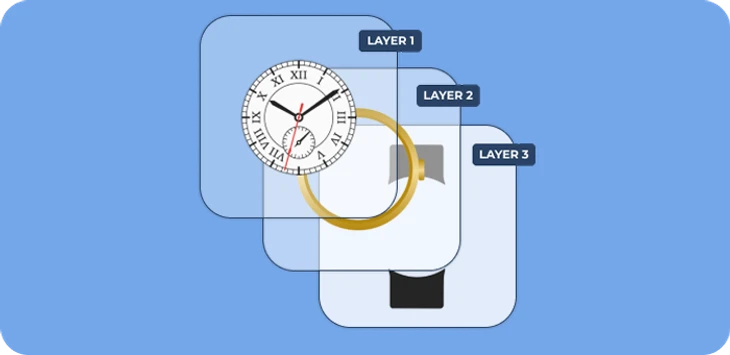
The plugin uses stackable image layers where transparent PNG images combine to generate the final product preview. This is particularly useful for items with many variations.
4. 3D product configurator

WCB also supports 3D model visualization, allowing users to rotate and customize products using GLB models. It can even update textures, colors, and product parts dynamically.
5. Extra product options
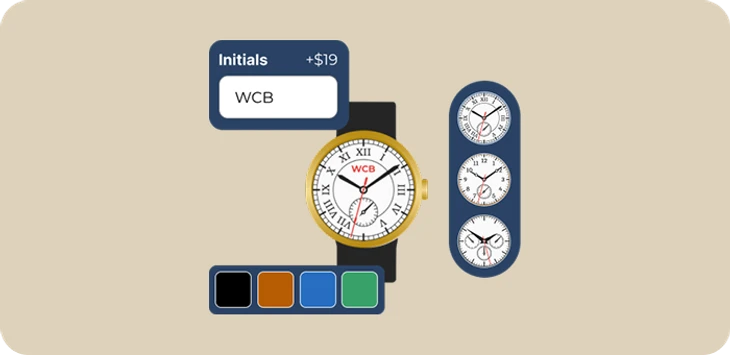
The plugin supports many field types including:
- Color swatches
- Image swatches
- Buttons
- Radio fields
- Text inputs
- Numeric inputs
- Date pickers (paid)
- File uploads (paid)
This allows store owners to create highly customizable product configuration flows.
6. Dynamic pricing rules
WCB supports live price updates based on selected options. Prices can change using fixed costs, sale prices, or unit-based calculations.
7. Quote request feature
Store owners can allow users to request a quote instead of placing an order immediately, which is useful for high-value or complex products.
8. WooCommerce integration
Configured products can be added directly to the cart, and all selected options appear in the order details, checkout, and confirmation pages.
9. Multi-language support
WCB works with translation plugins like WPML and Polylang, making it suitable for international stores.
Things to Know Before Choosing WCB
Before installing the plugin, there are a few important considerations. We have listed the pros and cons of the plugin in the table below.
| Pros | Cons |
| No coding required | Advanced features require a Pro subscription |
| Highly customizable product experiences | Self-preparation of visual assets |
| Real-time image and price updates | Limited hosting resources may not be sufficient |
| 2D and 3D configurator support | Potential learning curve for beginners building large configurators |
| WooCommerce checkout integration | |
| Unlimited configurators and options |
Pros of WCB
1. No coding required; Gutenberg drag-and-drop editor
One of the biggest advantages of WCB is that it removes the need for custom development when building product configurators.
Traditionally, interactive product builders require significant programming and design work. WCB simplifies this process with a visual builder that allows site owners to create configurators using a graphical interface.
This significantly lowers the barrier to entry for small businesses and store owners who want advanced customization features.
2. Highly customizable product experiences
Another major strength of the plugin is its ability to deliver highly engaging product experiences.
Real-time visual updates help customers clearly see how their choices affect the final product. This reduces confusion and increases buyer confidence, especially for products with many customization options.
3. Real-time image and price updates improve user engagement
The layer-based image system is also very powerful. By stacking transparent images, businesses can create hundreds or even thousands of product combinations without needing separate images for every possible configuration.
This approach saves storage space and simplifies visual management once the initial layers are prepared.
4. 2D and 3D configurator support
WCB also stands out because it supports both 2D and 3D product configurators.
While many configurator plugins focus only on static images, WCB’s ability to incorporate 3D models opens the door for more immersive product presentations.
For industries like furniture, automotive accessories, or electronics, this can significantly enhance the customer experience.
5. Works with WooCommerce checkout
Another benefit is its seamless WooCommerce integration. The plugin works within the familiar WooCommerce workflow, allowing configured products to be added to the cart with their selected options included in the order.
This keeps the purchasing process straightforward for both customers and store administrators.
6. Unlimited configurators and options
Finally, WCB offers a high level of customization and scalability. Businesses can create simple configurators with a few options or build complex multi-step configuration systems depending on their needs.
These features make it a powerful solution for businesses that need complex product customization.
Cons of WCB
1. Advanced features locked behind the Pro version
One of the most notable drawbacks is that many advanced features require the Pro version.
While the free version provides a lot of functionality, such as conditional logic, complex pricing rules, and enhanced configurator controls are part of the Pro package.
For businesses that need sophisticated configuration workflows, this can increase the overall cost.
2. Self-preparation of visual assets (images or 3D models)
Another challenge is that building a complete configurator requires significant preparation. The plugin itself provides the tools, but the quality of the final result depends heavily on the visual assets used.
Users must invest time in creating clean product images, transparent layers, or 3D models. Without well-prepared assets, the configurator may not deliver the intended visual experience.
3. Limited hosting resources may not be sufficient
Performance is another potential concern. Product configurators incldues multiple images or 3D assets, which can increase page load times if they are not optimized.
Websites with limited hosting resources may need additional performance optimization to maintain smooth operation.
4. Learning curve for beginners building large configurators
While the builder is designed to be user-friendly, creating large configurators with many interdependent options can still be complicated. Users may need to spend time learning how image layers, option logic, and pricing rules interact.
Despite these drawbacks, most limitations are typical for advanced product customization tools.
Who Should Use WCB?
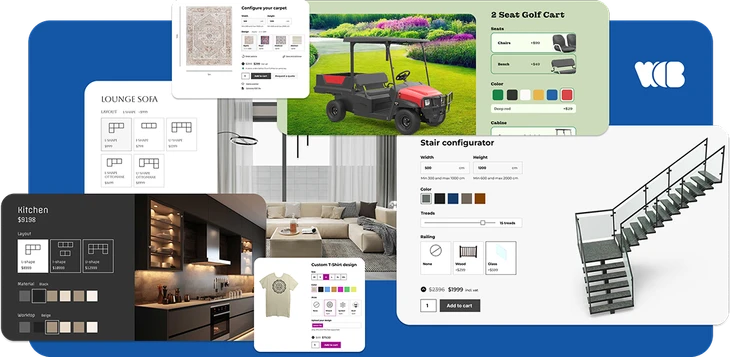
WP Configurator Builder is best suited for businesses that sell customizable or configurable products. Typical use cases include:
- Custom furniture stores
- Print-on-demand products
- Clothing and footwear
- Apparel customization
- Electronics or PC builders
- Automotive and transportation
- Personalized gifts
Any store where customers need to choose colors, materials, or components can benefit from a product configurator.
It is especially valuable for WooCommerce store owners who want to replace long lists of product variations with a more interactive and visual configuration process.
Final thoughts
WP Configurator Builder (WCB) is a powerful and flexible WordPress plugin for creating advanced product configurators in WordPress and WooCommerce.
With its drag-and-drop interface, real-time visualization, and WooCommerce integration, it enables businesses to deliver engaging customization experiences to their customers.
While it does require some setup effort and certain advanced features are paid for, the plugin offers a solid balance of usability and power. If your business sells customizable products and you want to provide an interactive configuration experience, WCB is definitely worth considering.
You May Also Like: