

Table of Contents
Recurring revenue is the backbone of a sustainable digital services business. If you build WordPress websites but still do one time projects, you’re leaving scalability and long term profit on the table.
A well designed WordPress maintenance plan transforms reactive support into a predictable, high margin service. Because it delivers real value to clients who depend on their websites to generate leads, sales, and credibility.
With this blog, we discuss and guide you on how to build a profitable, scalable, and future ready WordPress maintenance plan.
Why WordPress Maintenance Plans Are Critical
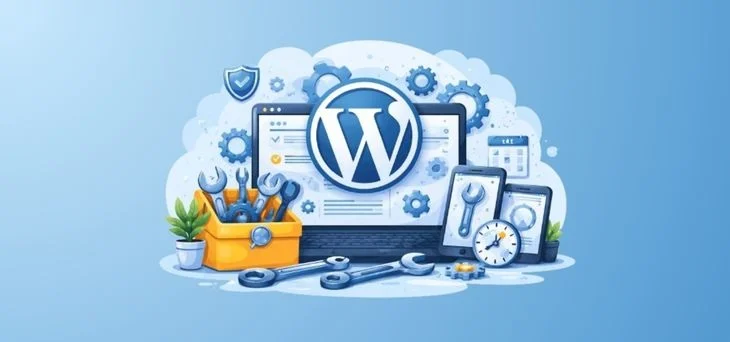
WordPress powers over 40% of the web, but it is not a “set and forget” CMS system. Websites are living systems that require ongoing care.
Without maintenance, sites face:
- Security vulnerabilities from outdated plugins and themes.
- Performance degradation due to database overload.
- Broken functionality after unmanaged updates.
- Downtime that directly impacts revenue and trust.
- Ongoing SEO from technical issues.
For website owners, maintenance protects their investment. So as a service provider, you have to create recurring revenue from this opportunity.
Essential Services You Can Include in Your Maintenance Plan
If you want your WordPress maintenance plan to bring genuine benefit, it must include the essential aspects of WordPress website maintenance and management. Any of the services listed below is a step toward ensuring a website remains secure, stable, and continuous in its operation.
1. Updates & Compatibility Management
- WordPress core updates.
- Plugin and theme updates.
- Visual and functional checks after updates.
Why it matters: Most hacks and breakages come from outdated software.
2. Secure Backups & Recovery
- Automated daily or real time backups.
- Offsite storage.
- Tested restore procedures.
Why it matters: Website backups are a must. Clients don’t value them until they desperately need them.
3. Security Monitoring
- Malware scanning.
- Firewall protection.
- Login protection and file integrity checks.
Why it matters: Security is risk mitigation, and risk has financial consequences.
4. Performance Optimization
- Caching configuration.
- Image optimization.
- Database cleanup.
- Core Web Vitals monitoring.
Why it matters: Speed affects conversions, SEO, and user experience, which directly affect business lead flow.
5. Uptime Monitoring
- 24/7 availability checks.
- Immediate alerts on downtime.
- Rapid response procedures.
Why it matters: Every minute of downtime costs credibility or revenue.
6. SEO & Technical Hygiene (Basics)
- Broken link monitoring.
- Indexing issue checks.
- XML sitemap validation.
- Page speed insights.
Why it matters: Technical SEO silently affects a business’s position on Google.
7. Reporting & Communication
- Monthly health reports.
- Completed tasks summary.
- Key metrics and recommendations.
Why it matters: Reporting makes invisible work visible and justifies the fee.
8. Support Access
- Defined response times.
- Small fixes or guidance.
- Clear scope boundaries.
Why it matters: Clients want peace of mind, not just automation.
Mandatory vs. Optional Services
| Mandatory (Included in All Plans) | Optional (Add-Ons) |
| Updates | Performance optimization |
| Backups | SEO monitoring |
| Security monitoring | Content updates |
| Uptime monitoring | Advanced support |
| Reporting | Conversion tracking |
Our Recommended Tools Stack
Use tools to minimize your manual work. Because automation helps you expand your margins and save time to use your expertise for decisions and communication. It allows you to:
- Manage 100 sites with the effort of 10.
- Reduce human error.
- Deliver consistent quality.
| Management | 🔹 ManageWP 🔹 MainWP 🔹 WP Umbrella |
| Security | 🔹 Wordfence 🔹 iThemes Security 🔹 Patchstack |
| Backups | 🔹 BlogVault 🔹 UpdraftPlus 🔹 Jetpack Backup |
| Performance | 🔹 WP Rocket 🔹 Perfmatters 🔹 Cloudflare |
| Monitoring | 🔹 UptimeRobot 🔹 StatusCake |
Common Pitfalls (and How to Avoid Them)
Pitfall 1: Underpricing
Anchor pricing to risk and outcomes, not effort.
Pitfall 2: Unlimited Support
Define boundaries and sell support as a premium feature.
Pitfall 3: No Reporting
Show the work. Always.
Pitfall 4: Manual Everything
Automate aggressively, review strategically.
Pitfall 5: One Size Fits All
Use tiers and addons to serve different client maturity levels.
Thinking Ahead: The Future of WordPress Maintenance Service
The future of WordPress maintenance is no longer about fixing what breaks; it’s about anticipating what will break, what will slow down, and what will quietly lose revenue before the client ever notices. The next evolution of WordPress maintenance is proactive and predictive.
- AI driven anomaly detection.
- Predictive performance alerts.
- Automated vulnerability patching.
- Behavior based uptime alerts.
- Proactive CRO recommendations.
Agencies that embrace this model move up the value chain, command higher retainers, and become valuable partners rather than replaceable vendors.
You May Also Like: