

Promotional strategies are now playing an important role in attracting customers to increase the sales of online businesses. One of the most successful methods with a high psychological effect on customer behavior is offering gifts based on cart details in WooCommerce.
Many studies between 2024 and 2026 indicate that cart-based gift strategies are increasingly used to influence purchasing decisions without directly reducing product prices.
Rather than focusing solely on product-level promotions, many stores now design gift campaigns that respond dynamically to cart contents, order value, or purchase combinations. This approach allows incentives to be aligned more closely with customer intent at the moment of checkout.
Cart-Based Gifting as a Behavioral Signal
Cart data provides one of the clearest indicators of purchasing intent. To run a successful gift campaign, store owners need to pay attention to the cart details, such as:
- Items added to the cart,
- Quantities selected,
- And subtotal thresholds.
Regarding this data, managers can use gift strategies as tactical tools rather than long-term loyalty mechanisms.
Cart-based gifts are commonly triggered by conditions such as
- Minimum order value,
- The presence of specific products or categories,
- Or combinations of items that signal a higher likelihood of conversion.
Let’s review some of the most effective strategies and learn how to offer them at WooCommerce stores.
1. Offering gifts based on spending threshold
Offering Gifts once a cart reaches a defined monetary threshold is a common strategy for improving AOV. This method is typically used to encourage incremental additions to the cart.
Studies examining checkout behavior suggest that customers are often more responsive to tangible rewards than equivalent monetary discounts. They prefer to order more when the perceived value is increased by attaching a complimentary product to the order instead of offering a discount.
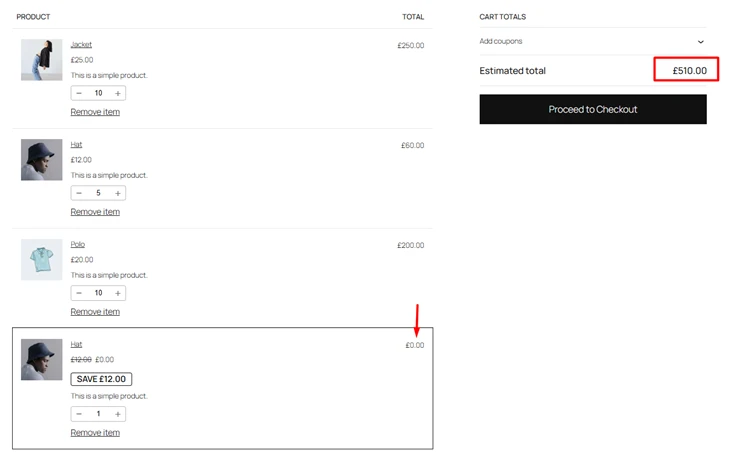
That’s why offering gifts based on Spending Threshold, like “Buy +$500, get the cheapest item for free.” Can boost sales more than just offering 20% discount on checkout.
2. Offering gifts based on ordering specific products or categories
Another common strategy is linking gifts to the presence of specific products or product categories in the cart. This approach is often used to support cross-selling or to increase exposure to complementary items.
For example, when a primary product is added to the cart, a related accessory or consumable item may be included as a gift. This method is frequently observed in electronics, apparel, and cosmetics stores, where product ecosystems or usage bundles are well defined.
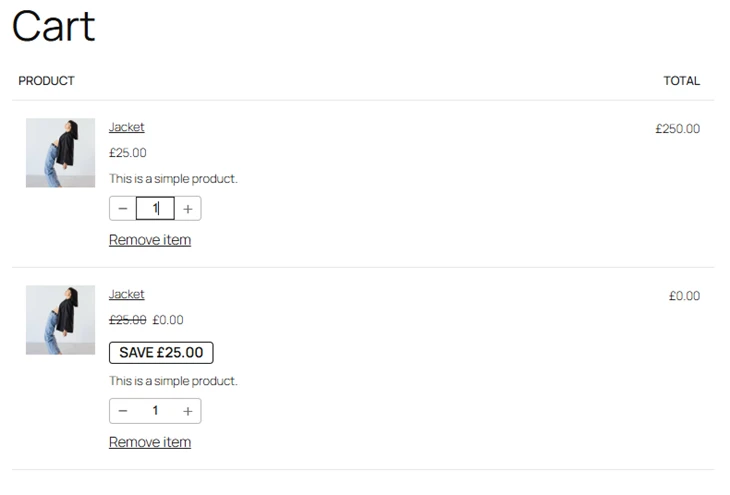
BOGO deals or “Free shipping by ordering +5 items from Summer collection” are frequently used in WooCommerce stores for boosting sales of in-stock products or low-performance categories.
3. Offering gifts based on cart quantity
Cart quantity also serves as a trigger in many gift campaigns. When a customer adds multiple units of the same product or a defined number of items from a category, a gift may be unlocked automatically.
This strategy is commonly applied in wholesale, subscription, or replenishment-focused stores, where larger quantities indicate recurring demand.
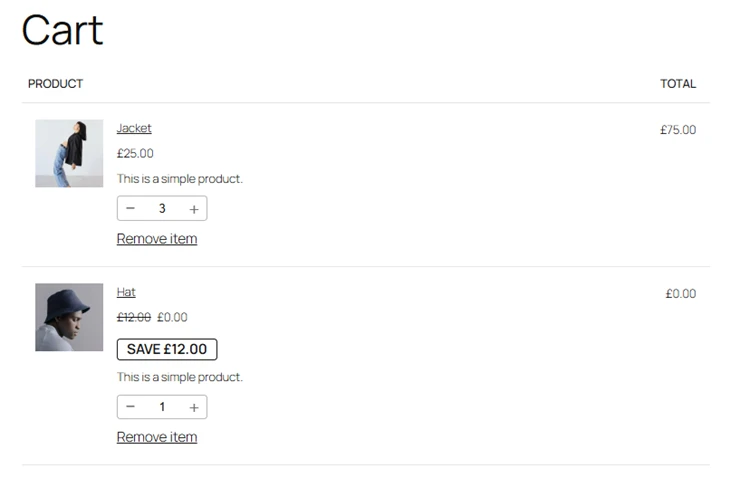
The most common free gift strategies are Buy X Get Y or Tired Quantity that work as an incentive to consolidate purchases into a single order.
Examples of offering gifts based on cart details in WooCommerce:
| Title | Strategy (Rule Type) | Practical Example (Fashion / Restaurant / Mobile / Liquor Store) |
|---|---|---|
| Offering Gifts Based on Spending Threshold | Spending Threshold (Cart Subtotal Rule) | Fashion: Spend $300, get a free leather belt. Restaurant: Spend $80, get a free dessert. Mobile Store: Spend $1,000, get free wireless earbuds. |
| Spending Threshold – Cheapest Item Free | Fashion: Spend $500, cheapest accessory in cart is free. Mobile Store: Cart above $1,200, cheapest phone case free. Wine Store: Spend $400, cheapest bottle free. | |
| Tiered Spending Threshold (Spend More, Get Bigger Gift) | Restaurant: Spend $100 = free dessert; Spend $250 = free family platter. Mobile Store: Spend $800 = free charger; Spend $1,500 = free smartwatch. Wine Store: Spend $300 = free opener; Spend $700 = free glass set. | |
| Offering Gifts Based on Specific Products or Categories | BOGO deal | Fashion: Buy a blazer, get a free pocket square. Restaurant: Order 1 meal from seafood, get 1 free drink. Mobile Store: Buy a smartphone, get free screen protector. Liquor Store: Buy premium whiskey, get a branded glass. |
| Free Shipping (Category or Product Triggered) | Fashion: Buy 5 items from the Summer Collection, get free shipping. Restaurant: Order from the Party Menu, get free delivery. Mobile Store: Buy any smartphone, get free express shipping. Wine Store: Buy 6 bottles of wine, get free delivery. | |
| Offering Gifts Based on Quantity | Buy X Get X (Same Product) | Fashion: Buy 2 shirts, get 1 free. Restaurant: Buy 3 burgers, get 1 free. Wine Store: Buy 5 beers, get 1 free. |
| Buy X Get Y | Mobile Store: Buy 3 accessories, get free power bank. Liquor Store: Buy 6 bottles, get free mini bottle. | |
| Tiered Quantity (Buy More, Get More) | Fashion: Buy 3 items = free socks; Buy 6 items = free hoodie. Restaurant: Order 5 meals = 1 free dessert; Order 10 meals = 3 free desserts. Mobile Store: Buy 2 devices =1 free charger; Buy 4 = 2 free chargers. |
How to offer Gifts Based on Cart Details in WooCommerce?
Building a successful WooCommerce store goes beyond just selling products; it’s about creating engaging experiences that drive customer loyalty and increase sales.
This is where a powerful and flexible tool like the Free Gifts for WooCommerce plugin becomes essential.
In this plugin, you can use a Rule Form to set a gifting rule and apply flexible conditional logic to offer gifts based on cart details in WooCommerce.
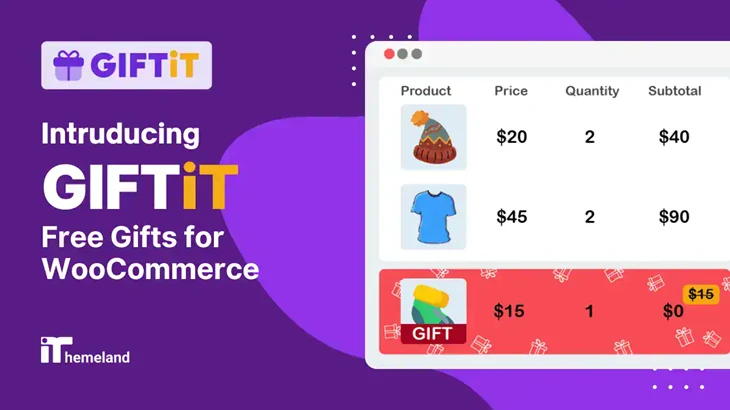
The GIFTiT plugin is useful for running complicated types of cart-driven gift rules, particularly when multiple conditions or automated gift handling are required. The tool is referenced primarily in the context of rule-based gift application rather than as a standalone promotional system.
Best Practices for Offering Gifts Based on Cart Details in WooCommerce
With the GIFTiT plugin, you can implement virtually any promotional strategy you can imagine. It comes with helpful features for creating simple gifts with every purchase or targeted, compelling offers that resonate with your customers.
Let’s explore some key best practices for implementing effective gift strategies using GIFTiT.
1. Real-Time Cart Feedback and Progress Indicators
An increasing number of stores pair cart-based gift strategies with real-time feedback mechanisms.
This plugin supports displaying custom progress indicators or informational notifications to inform customers about how close a cart is to qualifying for a gift.
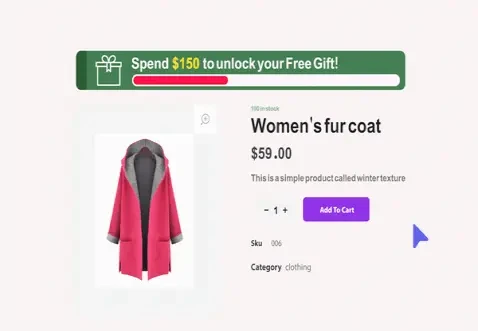
This technique relies on transparency rather than urgency, informing customers of the conditions required to unlock a reward. Research into checkout UX suggests that such visibility can reduce friction and uncertainty during the purchasing process.
2. Automation and Accuracy in Gift Application
From an operational perspective, cart-based gift strategies are most effective when applied automatically. Manual coupon entry or post-checkout adjustments are generally associated with higher error rates and customer support overhead.
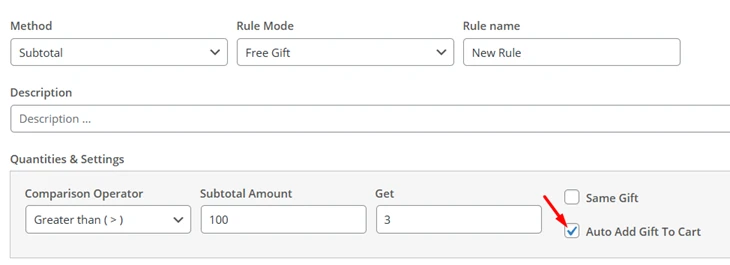
As a result, managers prefer to use the GIFTiT plugin as a gifting solution to automatically add gifts to the cart once conditions are met and remove them if conditions change. This ensures consistency across sessions and reduces discrepancies between promotional messaging and actual order contents.
3. Combination and Mix-and-Match Conditions
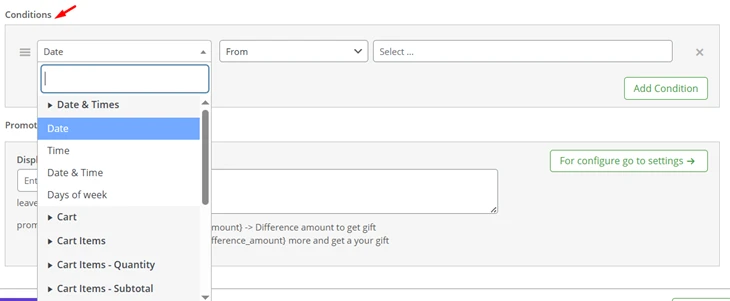
More advanced cart-based strategies involve combinations of products or categories. This plugin allows you to set unlimited conditions based on cart details, so the gifts are unlocked only when specified conditions are met simultaneously, such as purchasing from multiple categories or when the total order amount during a month is above a specified threshold.
The result of a survey from managers using the GIFTiT plugin revealed that they run many themed campaigns or seasonal promotions successfully and aim to guide the purchasing behavior of their customers by implementing more gifting strategies in the future.
Conclusion
Cart-based gifting strategies reflect a broader trend toward contextual and behavior-aware promotions in WooCommerce. By using cart details as triggers, stores are able to align incentives with real-time purchasing intent rather than relying on static discounts.
As e-commerce operations become more data-informed, such strategies are increasingly treated as part of checkout optimization rather than short-term sales tactics. Tools that support conditional logic and automated cart handling are commonly used to operationalize these approaches, enabling stores to experiment with gifting without disrupting pricing structures.